Alpha · Closed Testing

Make better
choices from
teepad to basket.

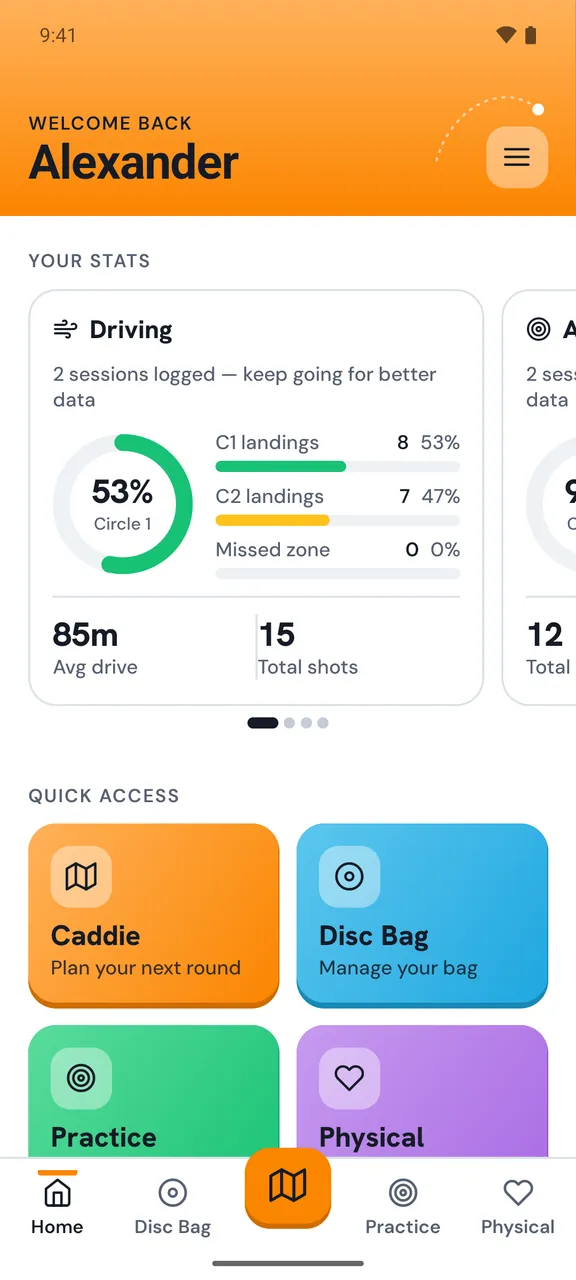
Discaddie is the virtual caddie that lives in your pocket. Plan your lines, pick your disc, and play with confidence — every round.

Scroll
The problem

What should I throw?

We've all been there. New course, unfamiliar terrain and maybe a bit of tournament pressure. You start second guessing your line, distance and disc choice.

01
The plan was ready
... but u forget the notebook that u used to plan for today. U watched video of the course, u wrote down your intended plans. But the notebook is still on your desk
02
Can i even make it?
Hole is 500 feet. Landingzone looks 350.. 400? 300? You choose your stable fairway because that thing flyes 450 easily (Which in reality is 380, but u never bothered measuring)
03
Your weaknesses
Most people don't know their ideal approach distance. Max driving distance. Their 100%-make putting distance. They just throw their discs and hope for the best.
The solution

Your caddie.
Always in your pocket.

01
Study the course
Plan your round before you ever set foot on the course. Lay down your intended lines hole by hole, assign your disc, and add notes — all in one place.
02
Build your caddie book
Your virtual caddie book lives in the app. Every course, every layout, your personal strategy — accessible whenever you need it.
03
Get better at disc golf
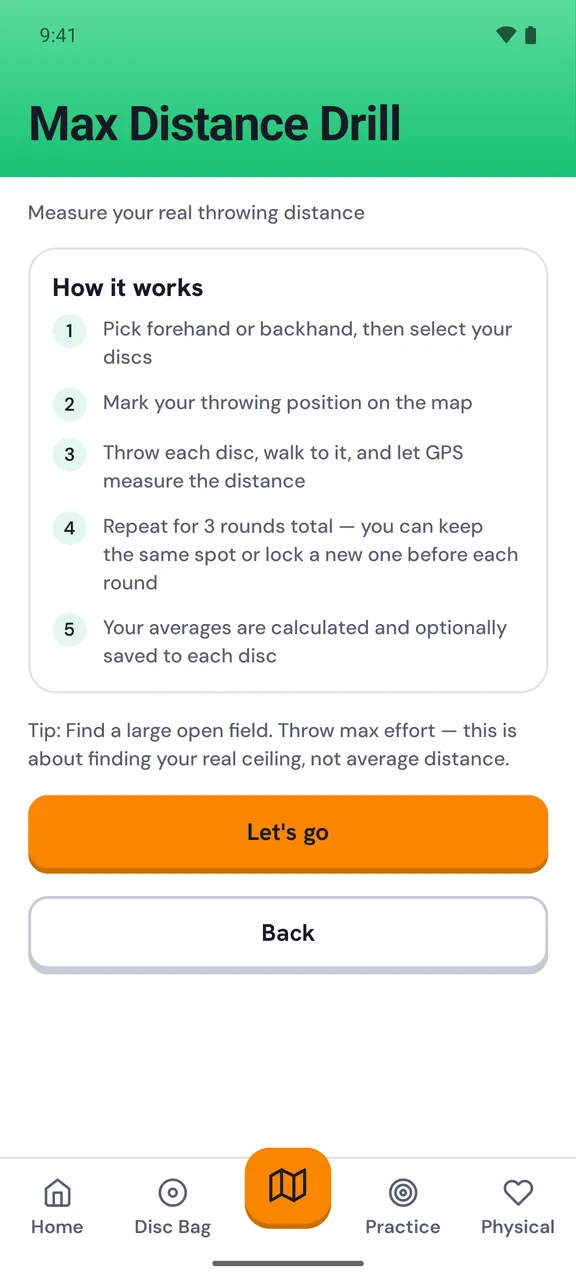
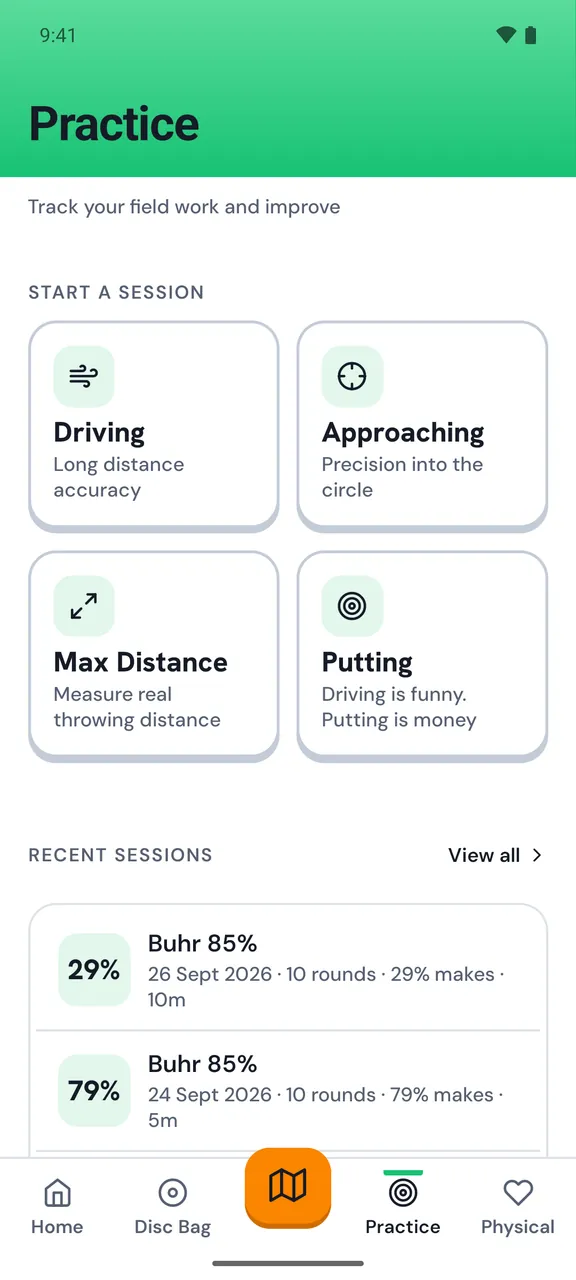
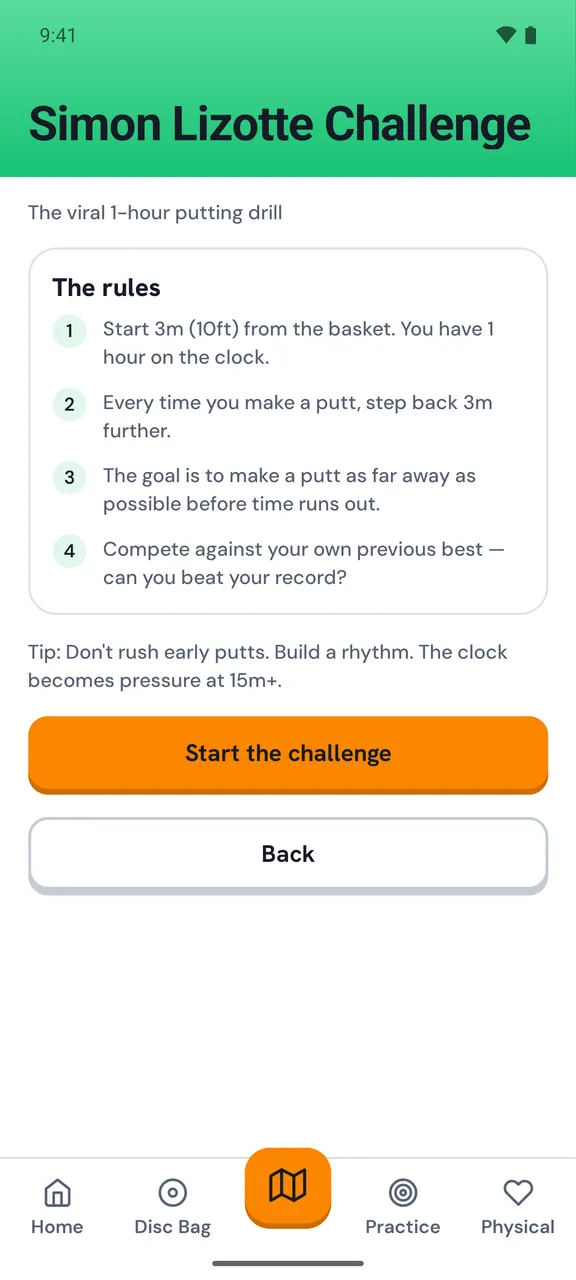
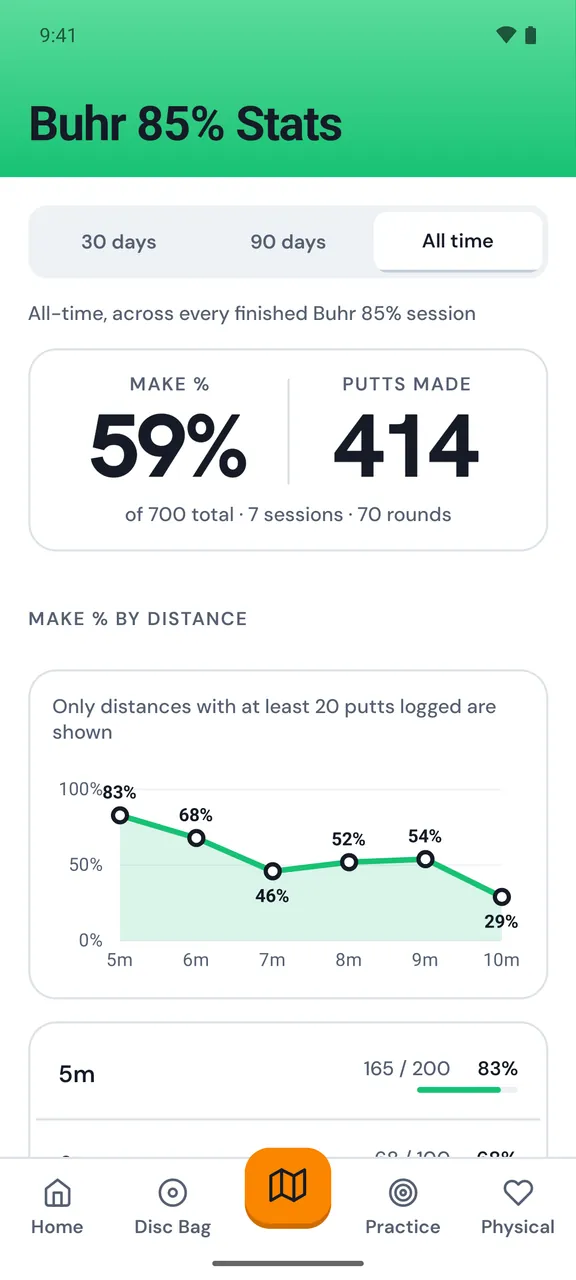
We want to help u understand your game. Our practice sessions helps you grow as a player - be it driving, approaching or putting.
In the app

Everything your game needs,
in one pocket.

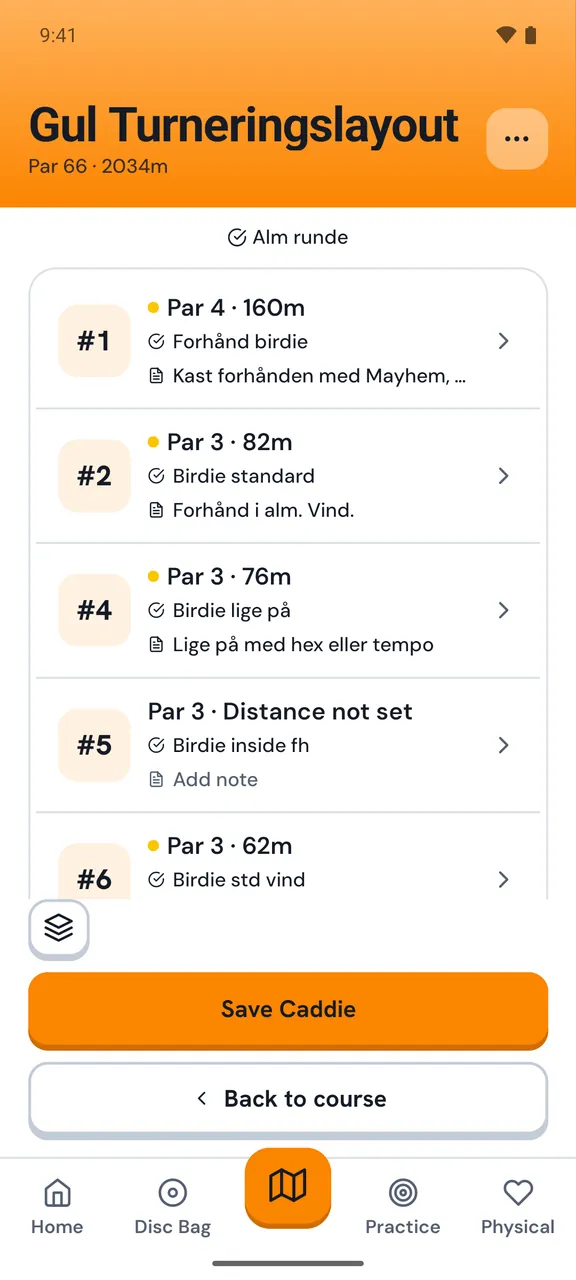
Discaddie caddie view
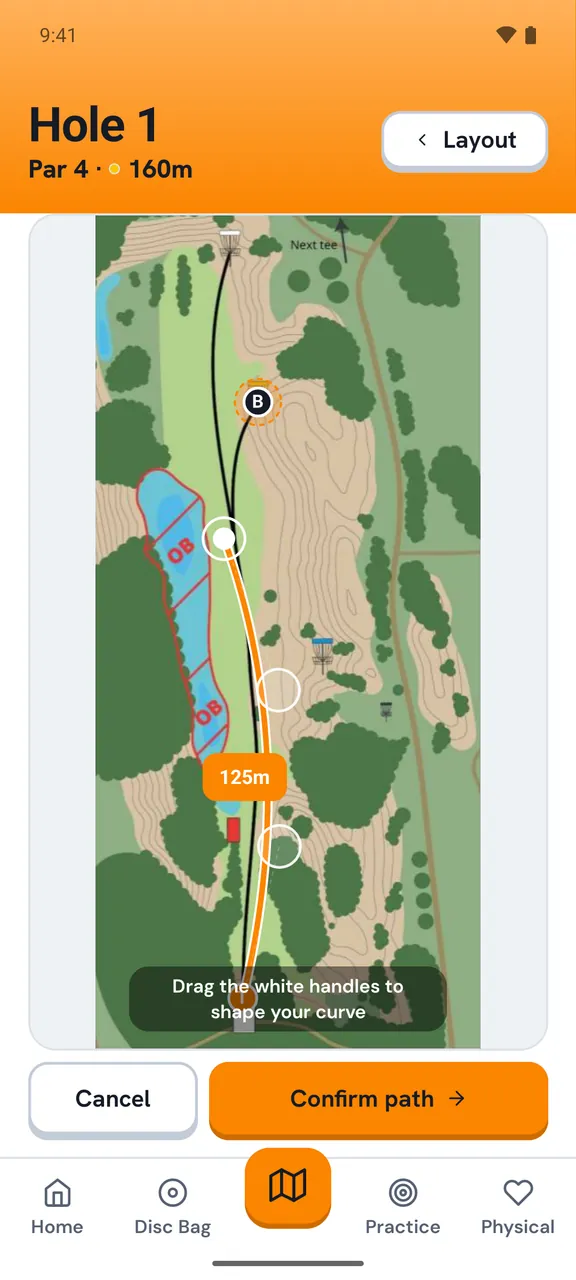
Discaddie hole planning
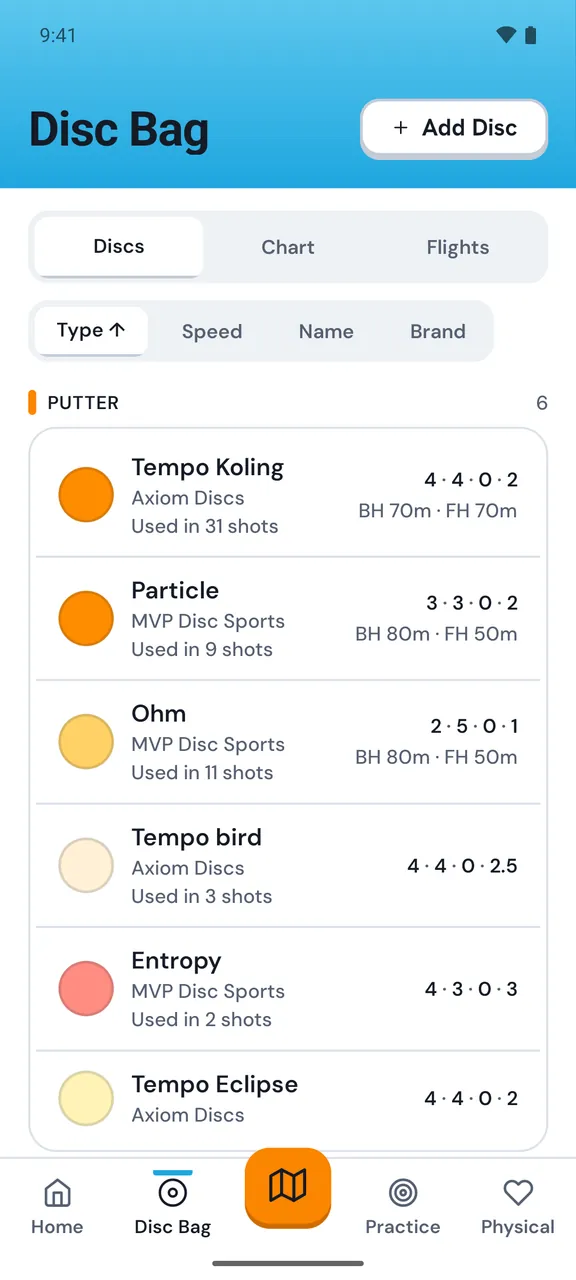
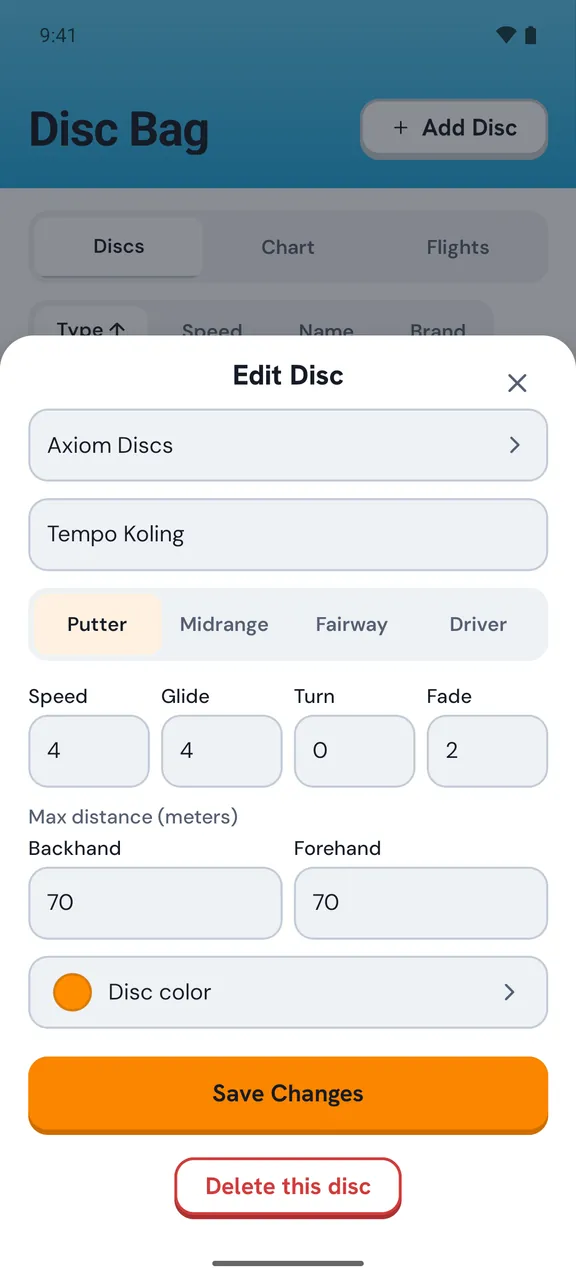
Discaddie disc bag
Our philosophy

We don't guarantee -18 on tournament day. We guarantee a smarter approach — whether you're chasing a podium or just looking to beat your friends.

Made by disc golfers


For disc golfers

How
Discaddie
works.

Discaddie replaces your notebook and your second-guessing with a structured, intelligent caddie system — built entirely around how disc golfers actually prepare and play.

Plan before you play. Map your intended lines and disc selections hole by hole before tournament day.
Your bag, in the app. Add your discs once. Assign them to holes with a tap.
Guided rounds. Walk hole to hole with your plan in hand — no fumbling, no forgetting.
Works offline. On a course with no signal? Discaddie has you covered.
Discaddie app - hole view
Step 01

Study the course.
Before you arrive.

Open Discaddie, find your course, and start building your caddie book. Hole by hole, you lay down your intended line — a visual path from tee to basket — and select which disc you'll throw. Add personal notes like wind tendencies, tricky landing zones, or "trust the anhyzer." All of it stays in the app, forever.

Caddie book view
Step 02

Your bag.
In the app.

Add your discs once — name, type, flight numbers if you want them. Then assigning a disc to a hole is a single tap. Discaddie remembers your bag so you never have to think about it again. Mid-round, you can swap it out if the wind changes.

Disc bag view
Step 03

Play your
perfect round.

Load your caddie book and Discaddie walks you through the round hole by hole. Each teepad shows you your intended line on the map, your chosen disc, and any notes you left yourself. No hesitation. No rummaging through memory. Just confident, deliberate disc golf.

Scorecard -3 through 9
HoleDiscParScore
1Aviar32
2Teebird44
3Roc332
4Destroyer54
5Aviar34
6→Upcoming...
Closed Alpha · Limited spots

Ready to
play smarter?

We're opening up the next round of alpha testers soon. Leave your email and we'll bring you in.

🟢 You're on the list. We'll be in touch.
Something went wrong. Please try again.
No spam. No newsletters. Just an invite when it's ready.