Feature

Dis
Caddie.
Plan before
playing.

Does second guessing lines, disc choice or distance sound familiar? The Caddie feature is developed to help you make smarter choices - from teepad to basket

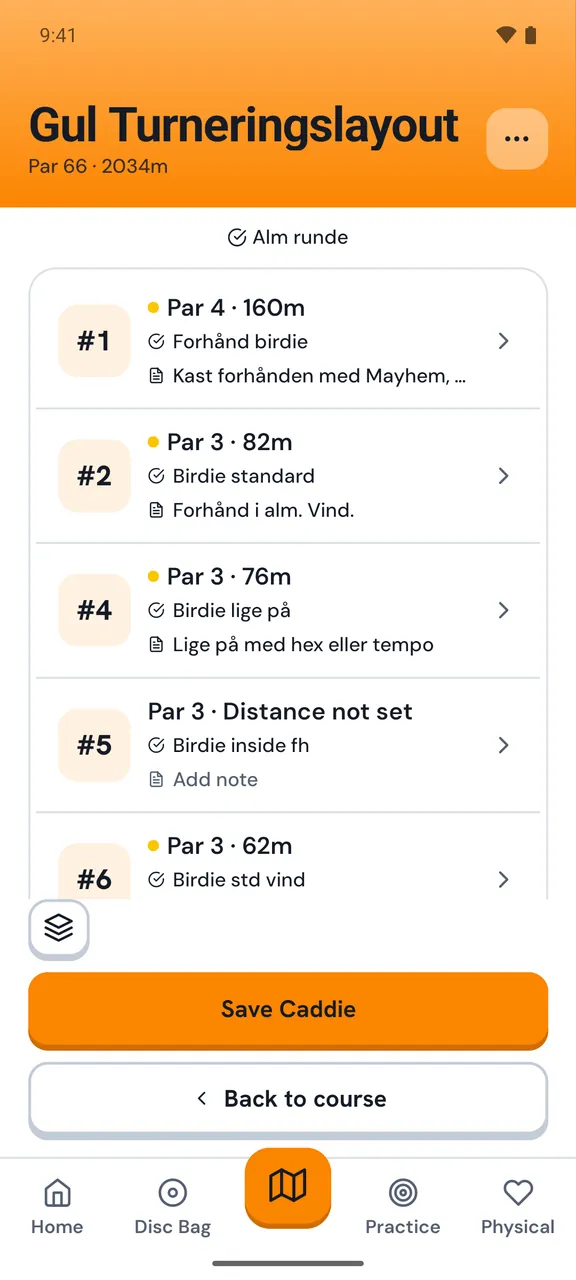
Caddie hole overview
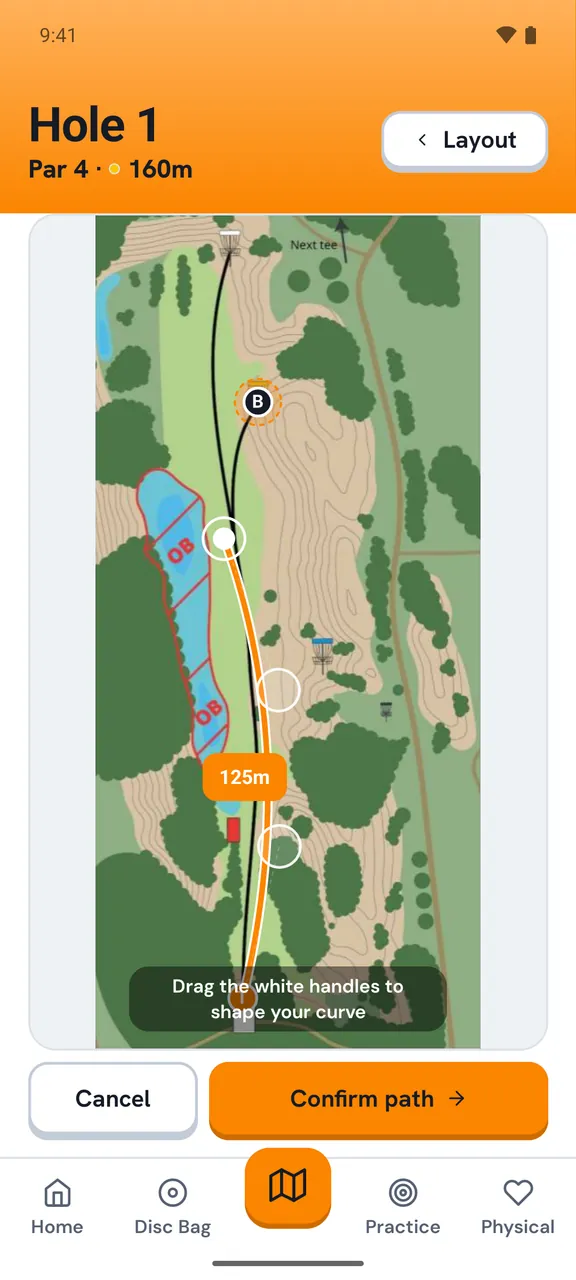
Caddie line planning
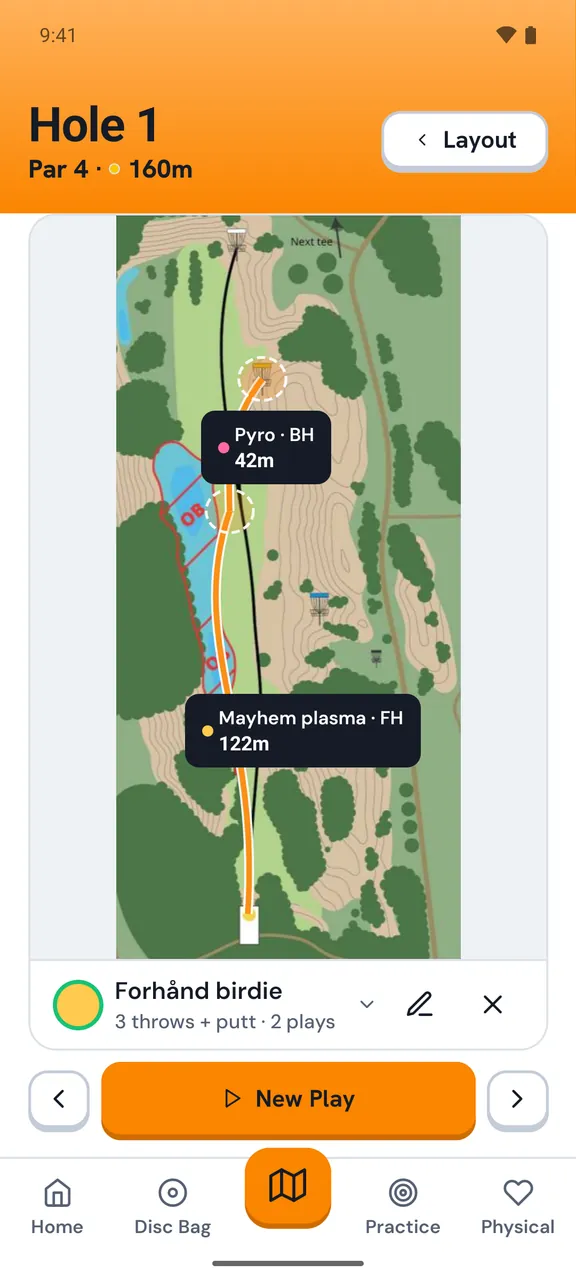
Caddie disc selection
Plan ahead

Draw your lines before tournament day.

Open a hole, study the layout, and draw your intended flight path directly on the map. Hyzer, straight, anhyzer — mark it exactly the way you want to play it.

  • Draw lines directly on caddiebook hole maps
  • Drawing a line accurately shows the distance of each throw
  • Our distance feature is built to match the way udisc calculates hole distance so you can trust the numbers between apps
  • Save multiple hole plans for different conditions
  • Varying conditions require alternative plans. U can save multiple caddie plans for each course
Drawing flight lines on a hole map
Disc selection

Assign your disc to every shot.

Pick the exact disc from your bag for each line. When you step up to the teepad you can be confident in the choices u make.

  • Assign any disc from your bag to any line
  • Choose a disc based on real, accurate throwing data
  • Stop second guessing your disc choices when you're on the teepad
Disc selection for a hole
Caddie book

Your whole course strategy, saved.

Build a caddie book for every course you play. Save named plans — "Pro layout windy day", "Safe round" — and load them before any round in seconds.

  • Save named caddie books per course layout
  • Load any saved plan before a round
  • Works on every course in the Discaddie database
  • Your plans stay private — only you can see them
Caddie book overview

Make a plan and stick to it.

Get the Discaddie app here

(download link coming soon)