View your disc golf hole in 3D
Can you see a disc golf hole in 3D before it's built? Yes. Once the tee and the basket are placed in the Discaddie Course Designer, you can open the hole in 3D, rotate around it, look at it from the tee and save an image.
3D needs a free account.
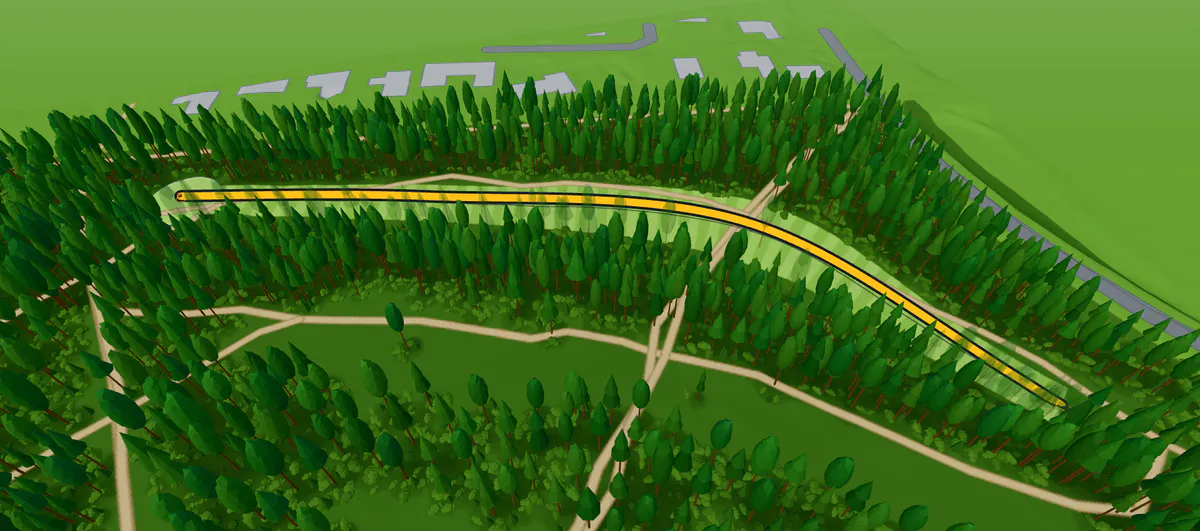
What shows up in 3D
The 3D view is built from what you've drawn on the hole: tee, basket, line, OB, mandos, drop zones, and the trees and woods on the hole. If trees block your view of the line, switch on See-through trees and the line shows through the treetops.
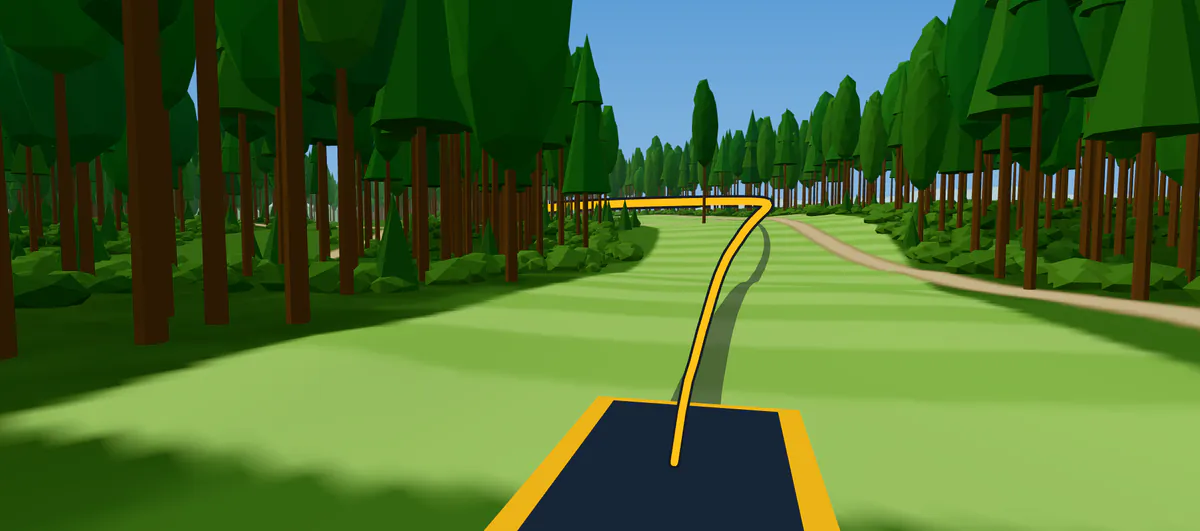
Tee view or Side view
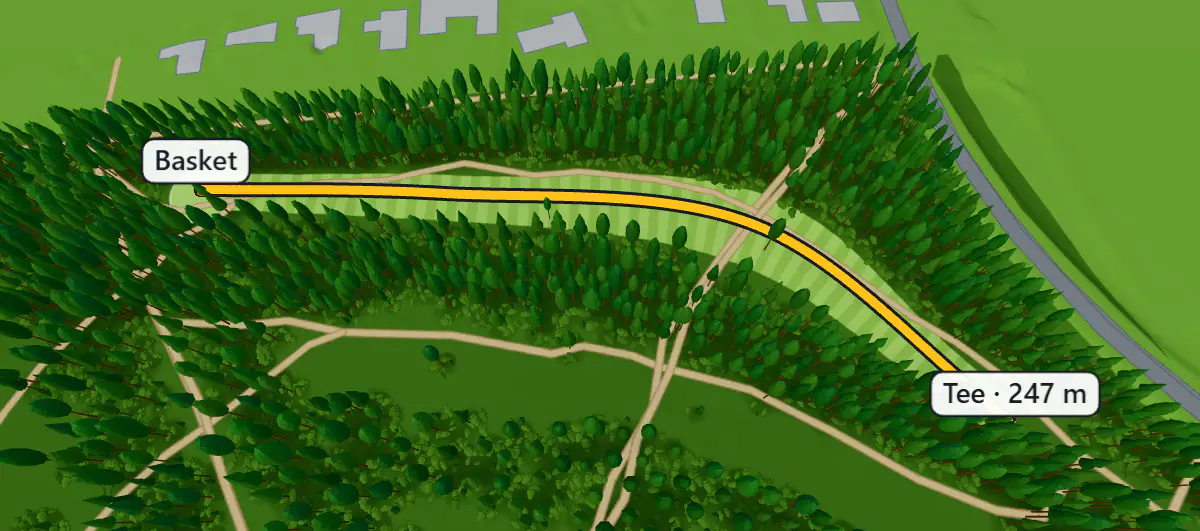
Tee view puts the camera on the tee, looking toward the basket. Side view steps back, so you see the whole hole and the line from tee to basket. Drag to rotate. Pinch or scroll to zoom.
The 3D view comes in more than one look. Pick the one that shows your hole best.
Use it when you plan a hole
A hole that doesn't exist yet is easier to judge when you can see it. How does the line sit on the hole? What does the hole look like from the tee? Are the trees in the way? You can check all three before the course is built.
Drawing a whole course? Start with how to plan a new course.
Save an image of the hole
Click Save image to get a picture of the view you've set up: the angle, the style and whether the trees are solid or see-through. You're free to use the image, on your club's page, in an email to the municipality or in a post, as long as the credit line stays in it.
How to open a hole in 3D
- Log in. You can create an account at app.discaddie.com/register.
- Open a hole where the tee and the basket are placed.
- Click View the hole in 3D.
3D questions
Can I see the hole from the tee?
Yes. Click Tee view to stand on the tee, or Side view to see the whole hole.
Can I save an image of the hole?
Yes. Click Save image. You're free to use the image as long as the credit line is in it, and it's part of the image when you save it.
Do I need an account, and does it cost anything?
You need to be logged in to view a hole in 3D. Creating an account costs nothing.
Does it work on a phone?
Yes. On a phone, the buttons sit at the bottom of the screen.