Make tee signs for your disc golf course
On the tee and can't see the basket, or where OB runs? That's what a tee sign is for. In the Course Designer you get a sign for every hole from the course you've drawn: the hole map, par and distance for each layout, and whatever else is on the hole. Download them as a PDF to print, or as PNG images.
It's free, and you don't need an account. Without one, the course is saved in this browser only.
What's on the sign?
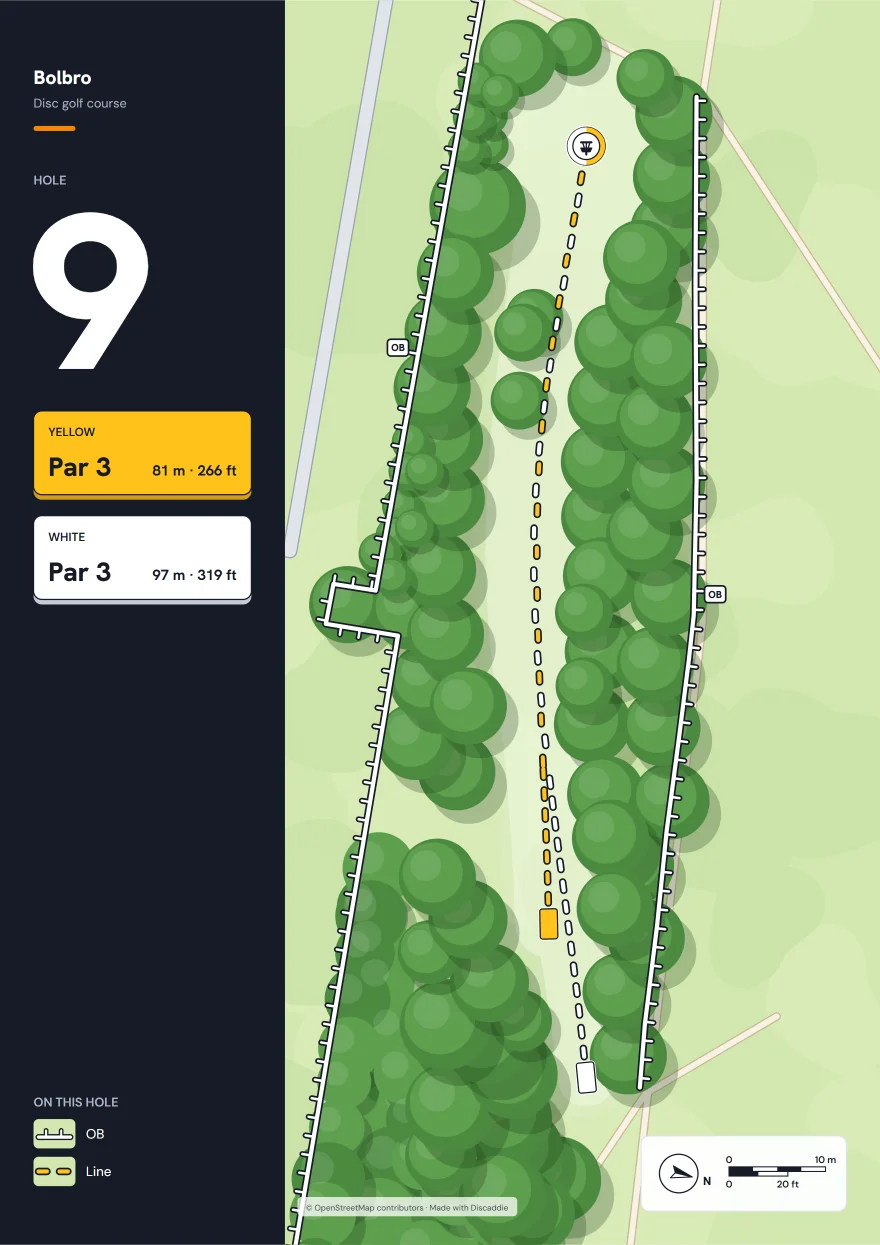
The sign has two halves: the numbers on the left, the map on the right. Here's hole 8 at Bolbro, a hole with a bit of everything. Bolbro is a Fyns Disc Golf Klub course in Odense, Denmark.
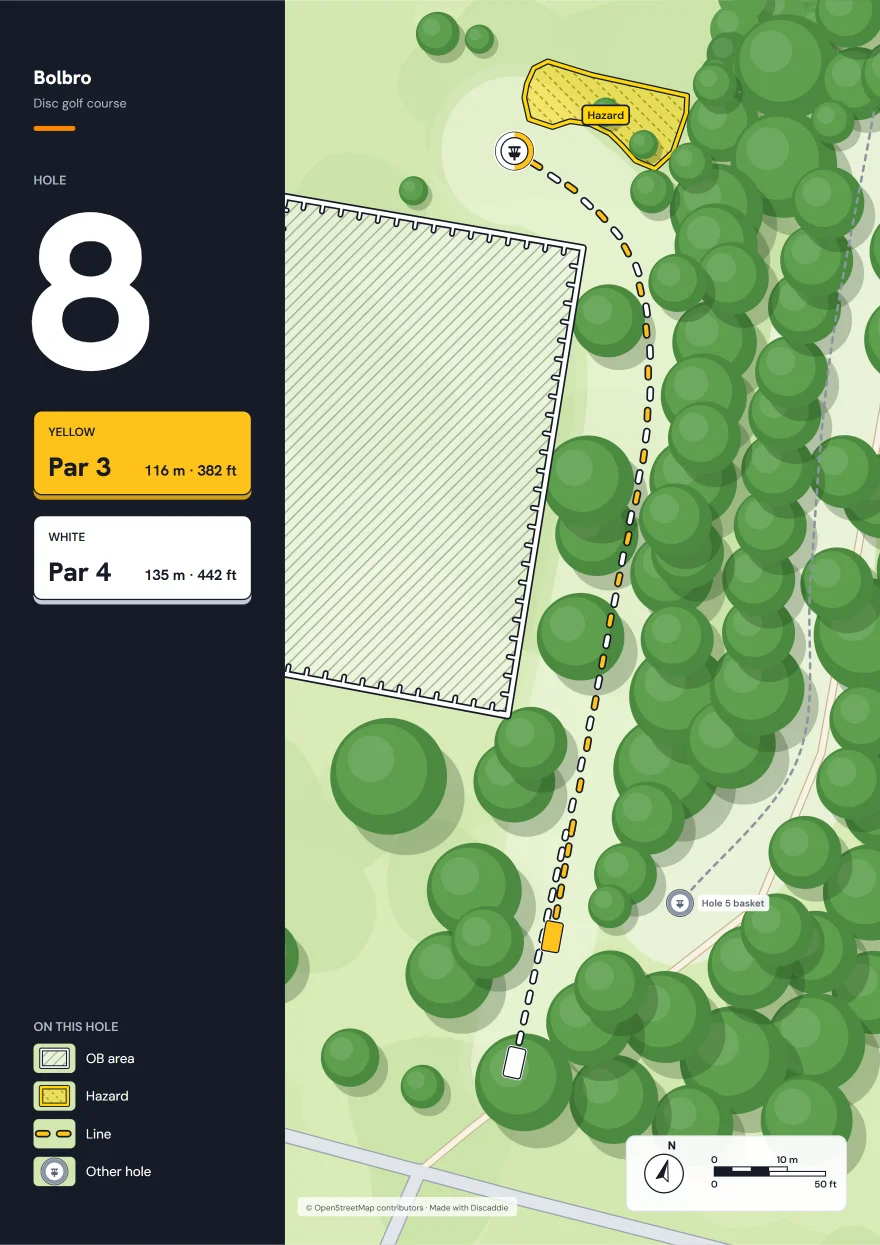
- Hole number, par and distance. Each layout gets its own box in its own color. On hole 8, Yellow is a par 3 at 116 m (382 ft), and White is a par 4 at 135 m (442 ft). Distances show in meters, feet or both. You pick this under Units on signs.
- Notes. Write a note for the hole, and it goes in a box under the numbers.
- On this hole. A legend with only the symbols used on that hole. On hole 8 that's the OB area and the hazard, plus the symbols for the line and for another hole.
- The map. The tee is at the bottom and the basket at the top, whichever way the hole runs. The map is turned so you see the hole the way you see it from the tee. The line is in the layout's color. The north arrow and the scale bar are in the bottom right corner.
You can turn the map in steps if you want a different angle, and switch the legend and the distance markers on or off.
When layouts don't share a tee
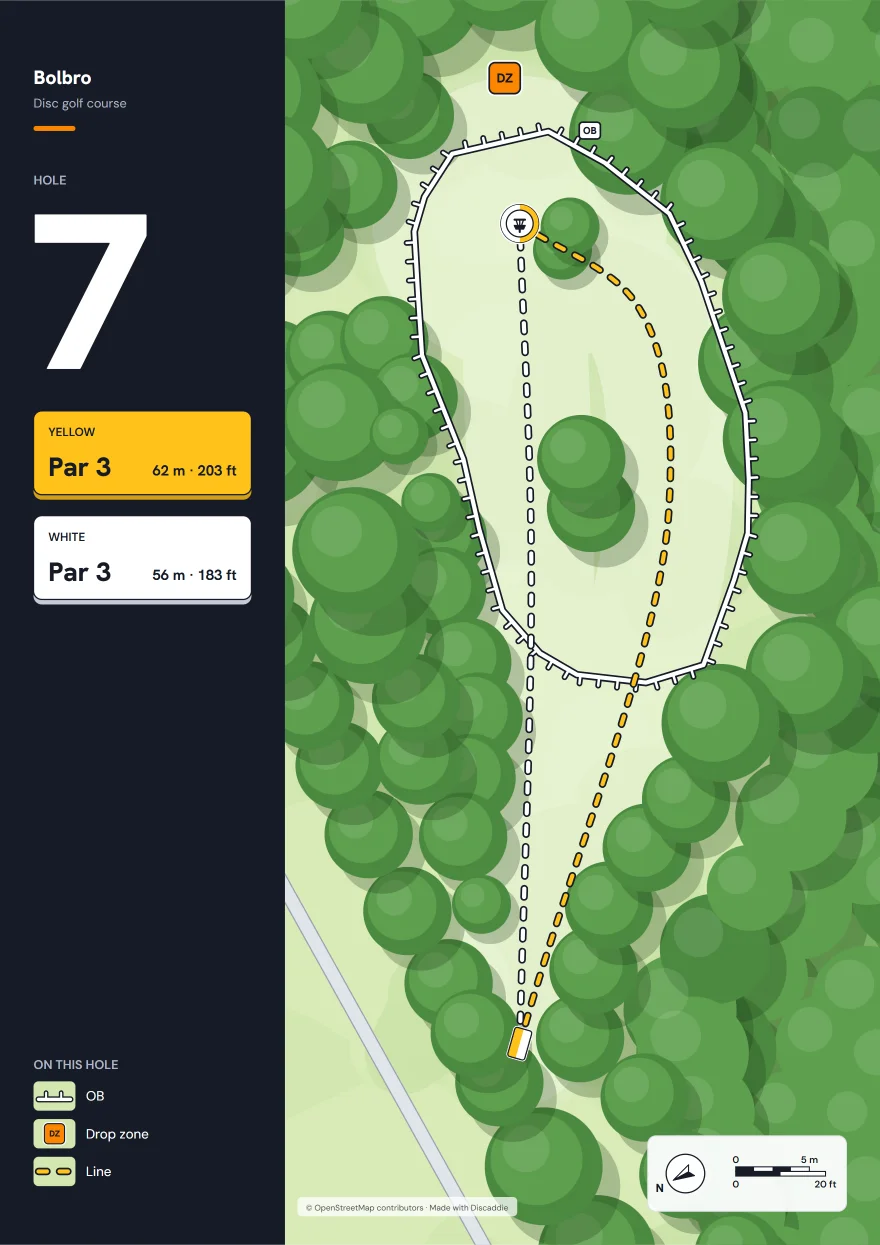
Standing on the white tee on hole 7 and expecting White to be the longer one? Here it's the shorter: 56 m (183 ft) against 62 m (203 ft) from Yellow. The two tees sit in different spots, so each layout gets its own line in its own color. An OB line runs around the basket, and the drop zone is marked DZ.
The sign fills in from your drawing
There's no blank template to type par and distances into. You draw the hole, and the sign is built from the drawing. The distance is measured along the line you drew, not straight from tee to basket, and par follows the distance until you set it yourself. If the course has several layouts, each gets its own color and the sign shows all of them.
How to get the signs
- Draw the holes. Place the tee and the basket, and bend the line along the fairway. Add OB, mandos, drop zones and hazards where they are. A hole without a tee or a basket doesn't get a sign.
- Open Hole map and, under What to show, choose Tee sign. You see the sign the way it will print. Pick the paper (Letter or A4) and portrait or landscape.
- Open Export and choose Tee signs (PDF). Pick All holes or This hole.
- Click Download. All holes come in one PDF, one sign per page.
As images instead
Choose Images (PNG) under Export. You get one image per hole, either the Whole sign or the Map only. An image is easier to post on a website or in a group than a PDF.
All nine signs from Bolbro
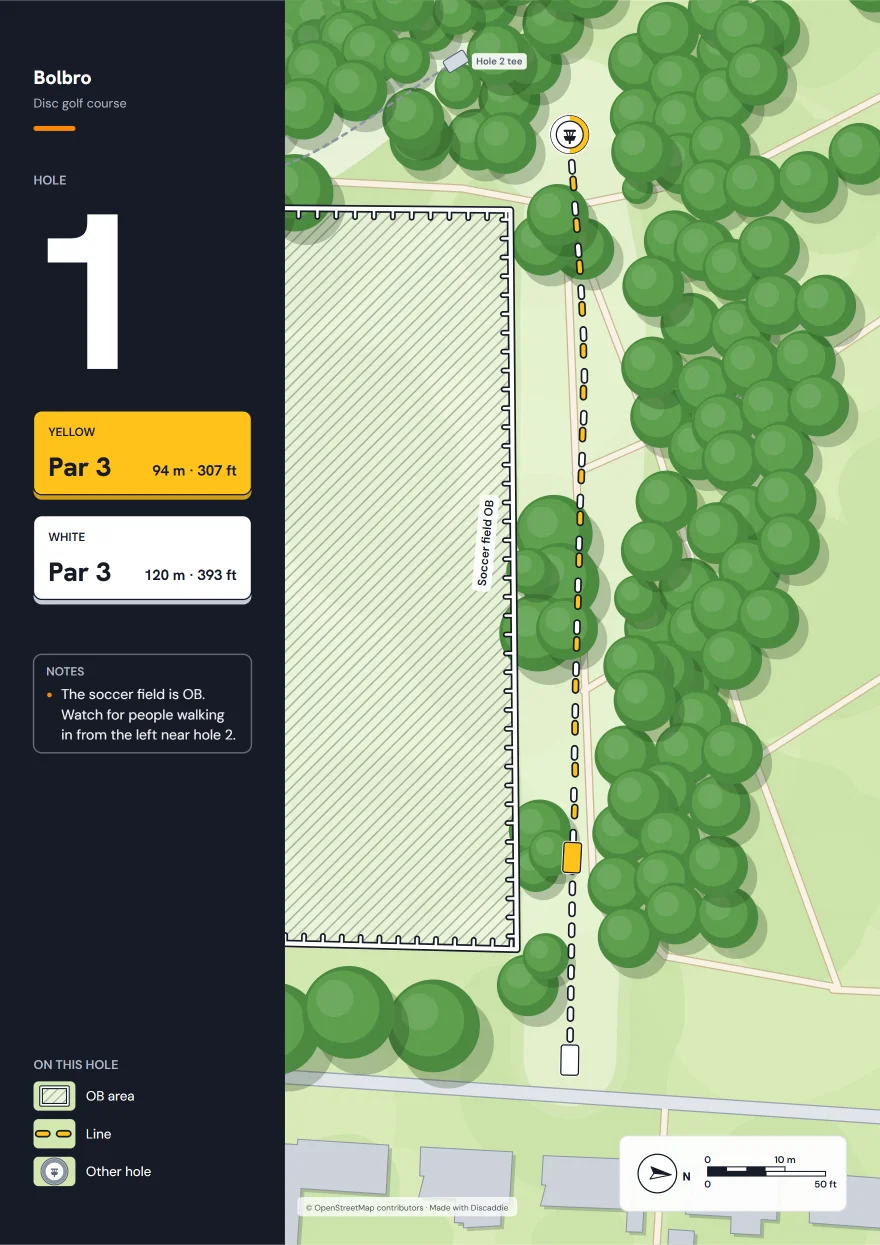
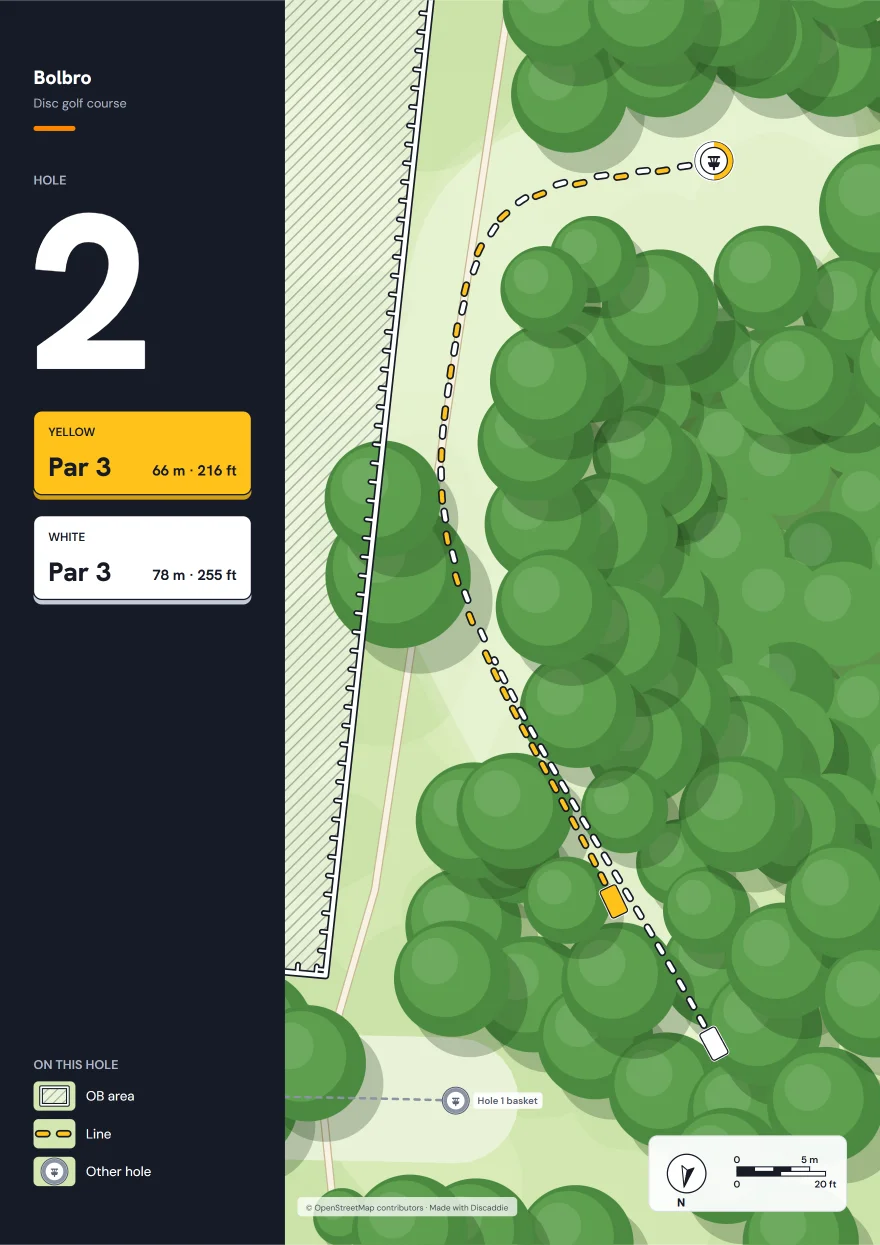
Bolbro has two layouts, Yellow and White. The sign on hole 1 has a note that the soccer field is OB.
Hole 1 1/9
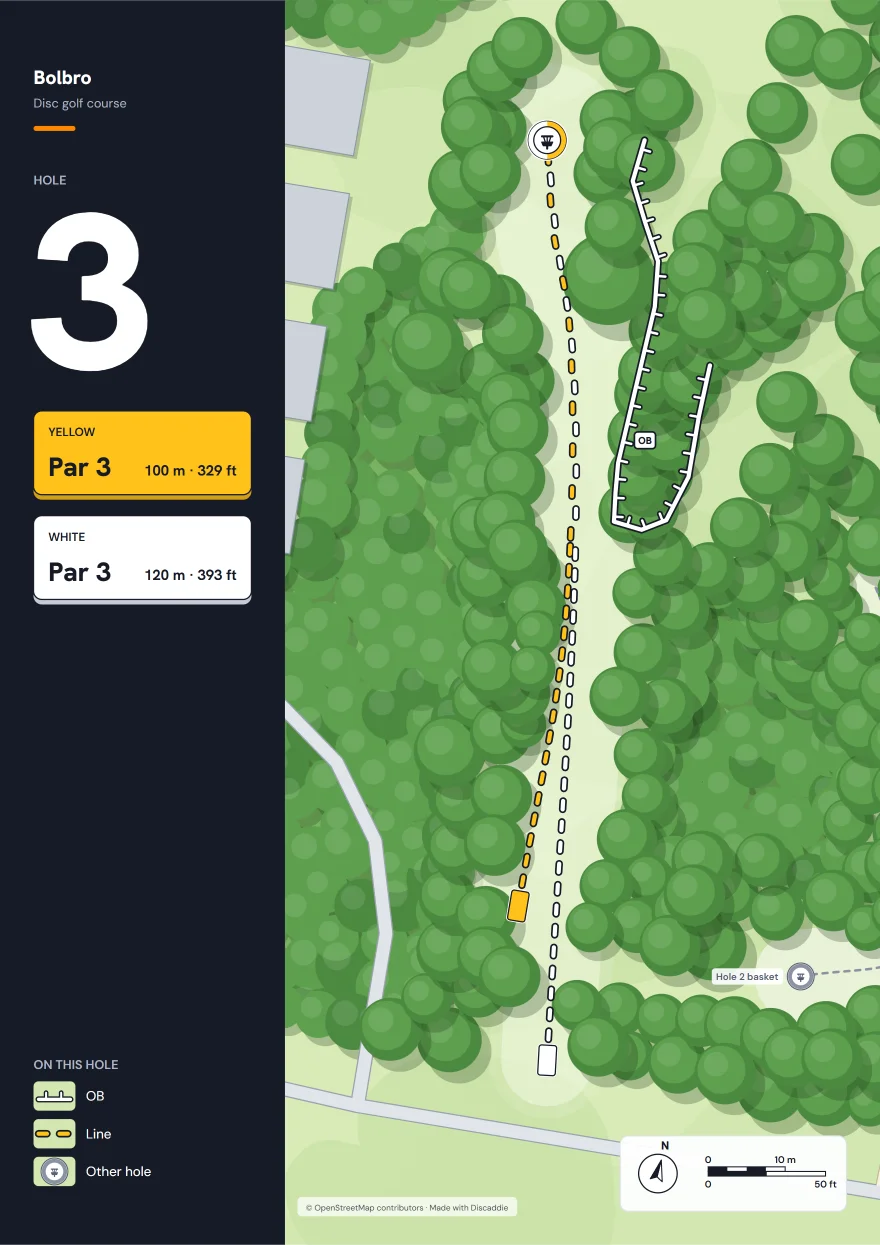
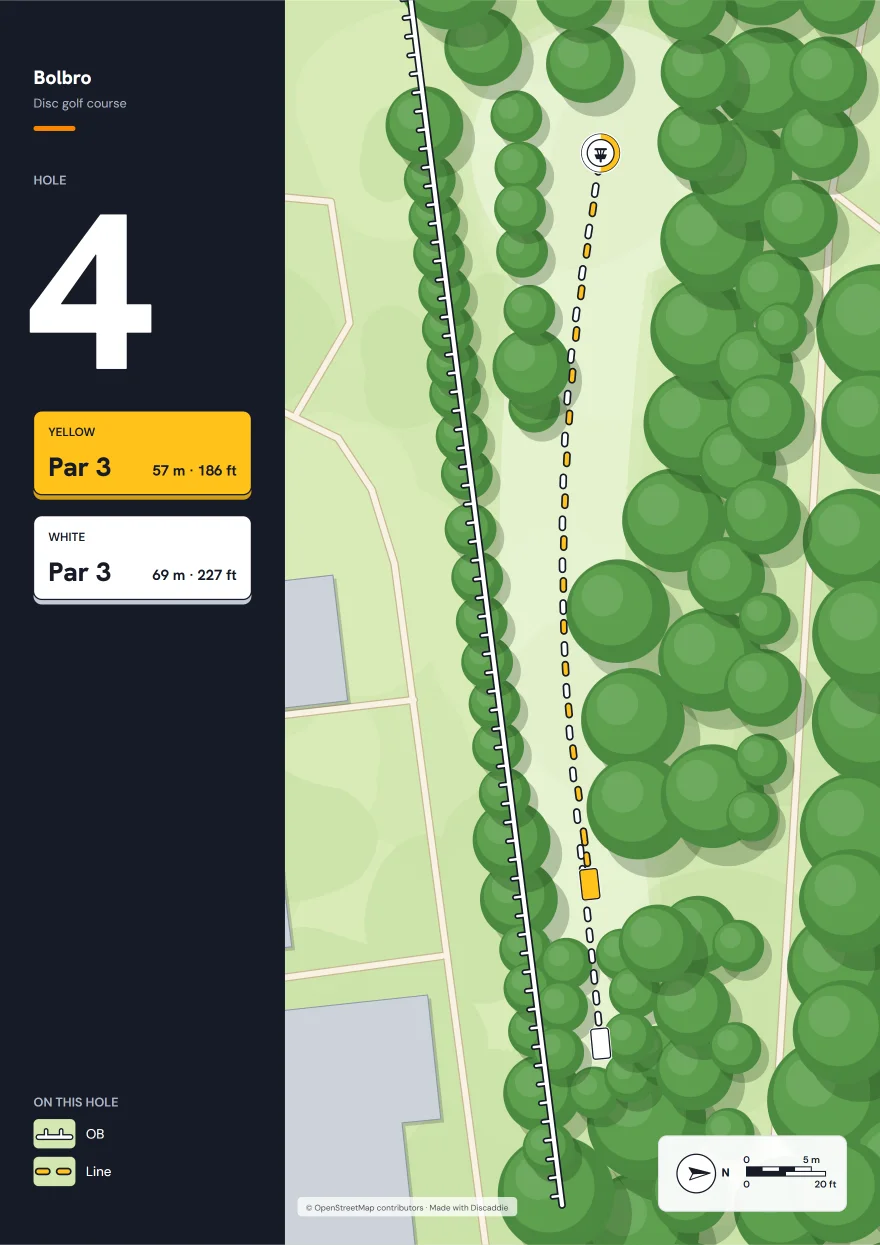
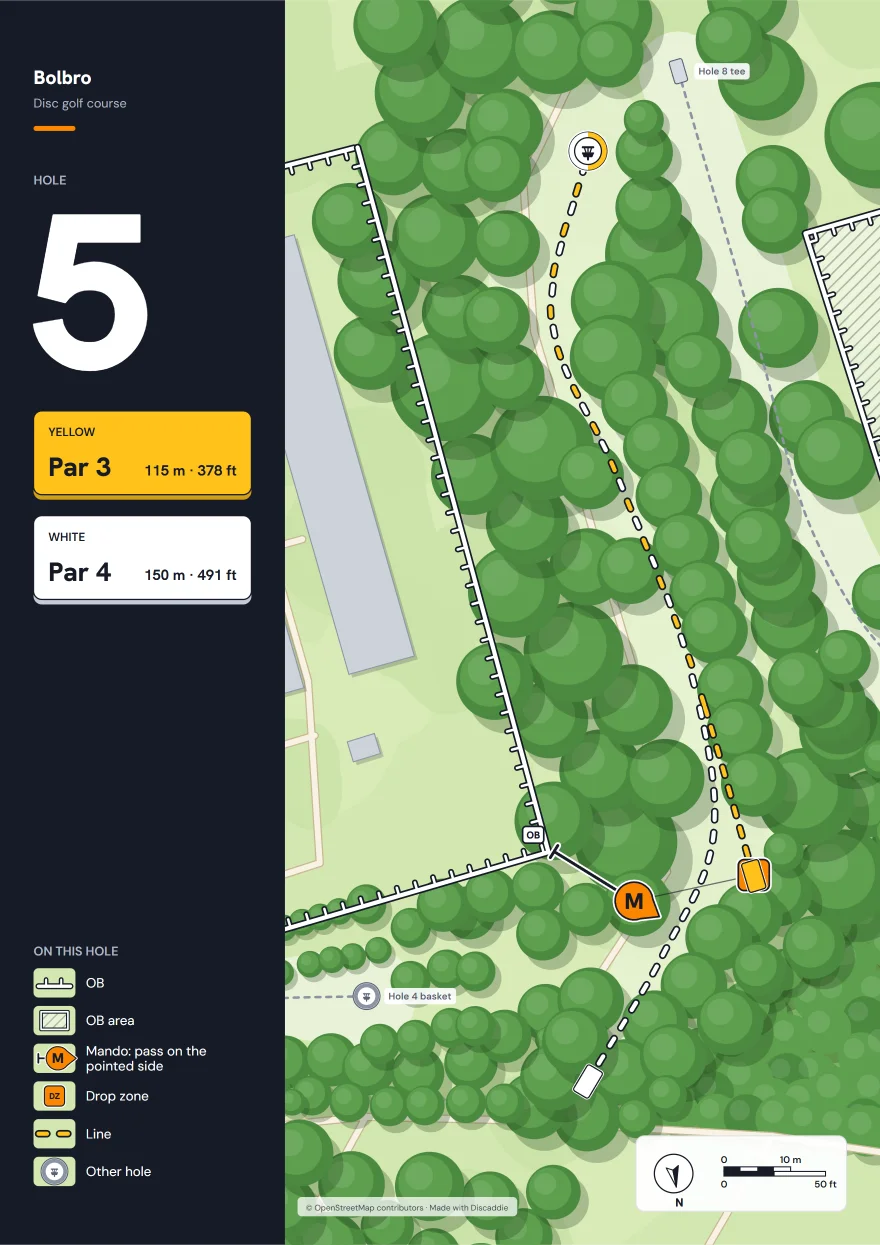
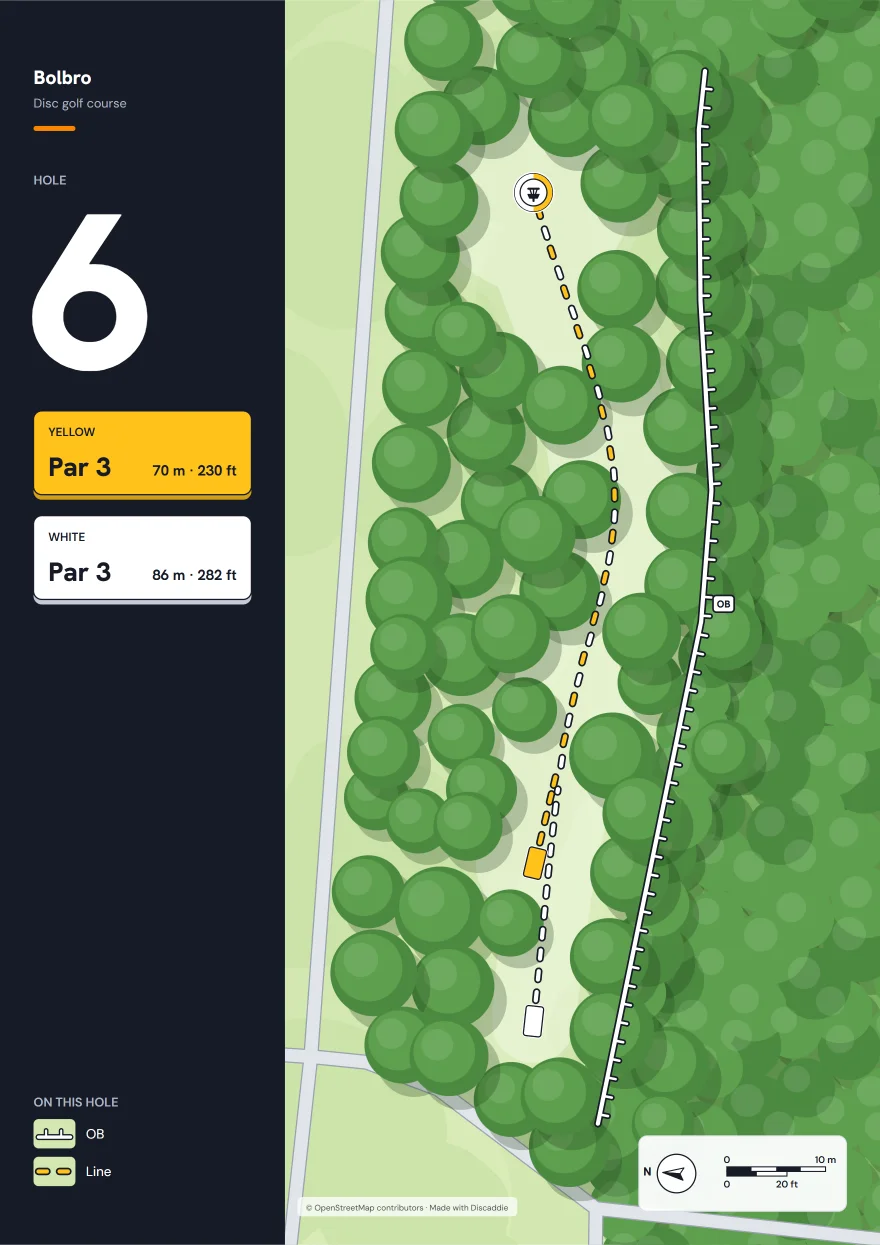
Want the signs bound together for players? See caddie book. Want the whole course on one page for the kiosk? See course overview.
Tee sign questions
What size is the sign?
Letter or A4, portrait or landscape. For a bigger sign, a print shop can scale up the PDF. Ask them which material holds up outdoors.
Can I get the sign as an image?
Yes. Under Images (PNG) you can pick the Whole sign or the Map only.
What can I change on the sign?
The paper, portrait or landscape, how the map is turned, which map layers show, and whether the legend and distance markers are on. You also set the notes, the layout names and their colors.
What language is the sign in?
English or Danish. You pick it for each course under Language on signs, so a course keeps its language the next time you print.
What's at the bottom of the sign?
The map source, © OpenStreetMap contributors, and Made with Discaddie.
Open your course and make the signs
Search for your course in the Course Designer, draw the holes, and download the signs.
It's free, and you don't need an account.