Make a caddie book for your disc golf course
Ever stood on the first tee of a course you don't know, with no idea how far it is to the basket? A caddie book lets you look the hole up before you throw. In the Course Designer you make one from the course you've drawn and download it as a PDF.
It's free, and you don't need an account. Without one, the course is saved in this browser only.
What's in the book?
The Bolbro book has 12 pages: three that every book has, and one for each of the nine holes. Bolbro is a Fyns Disc Golf Klub course in Odense, Denmark, and the pages below come straight from the book.
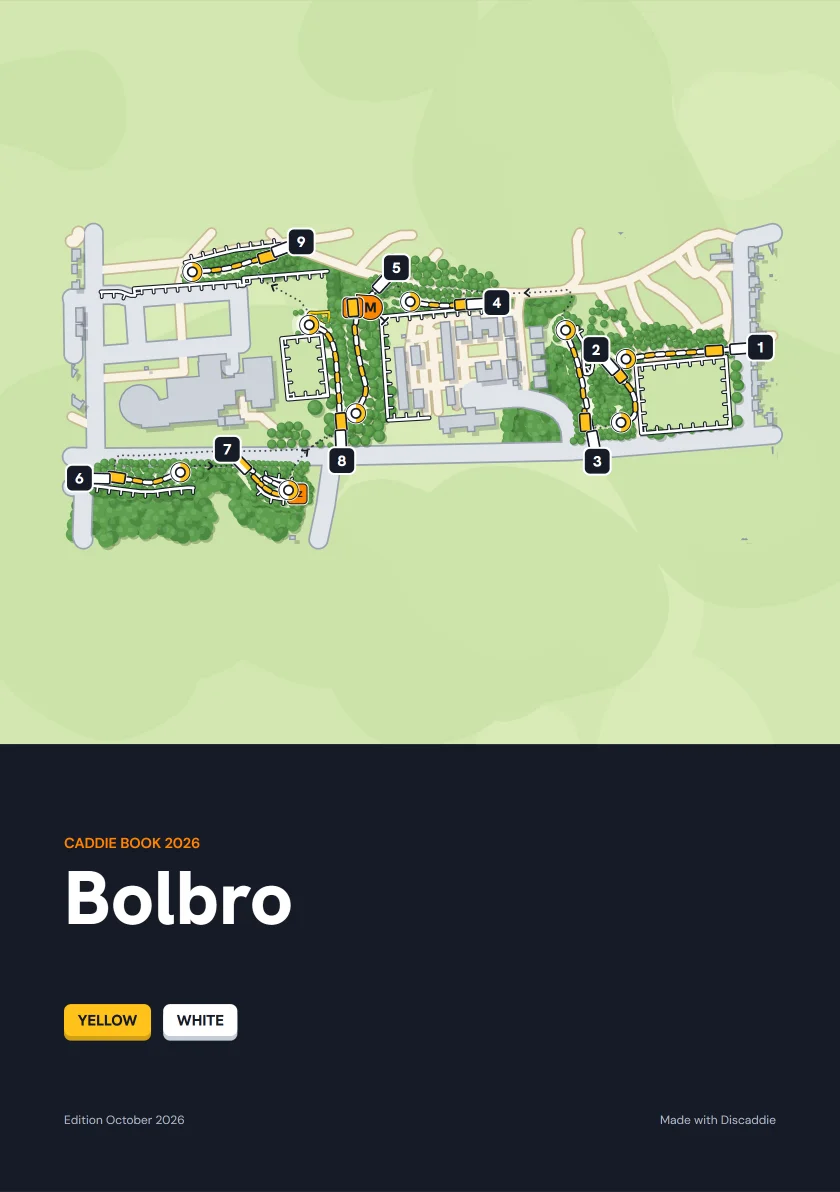
The cover
The course name, a map of the whole course with numbered holes, and a badge for each layout. At Bolbro that's Yellow and White. The year and the edition month fill in by themselves, based on when you last edited the course.
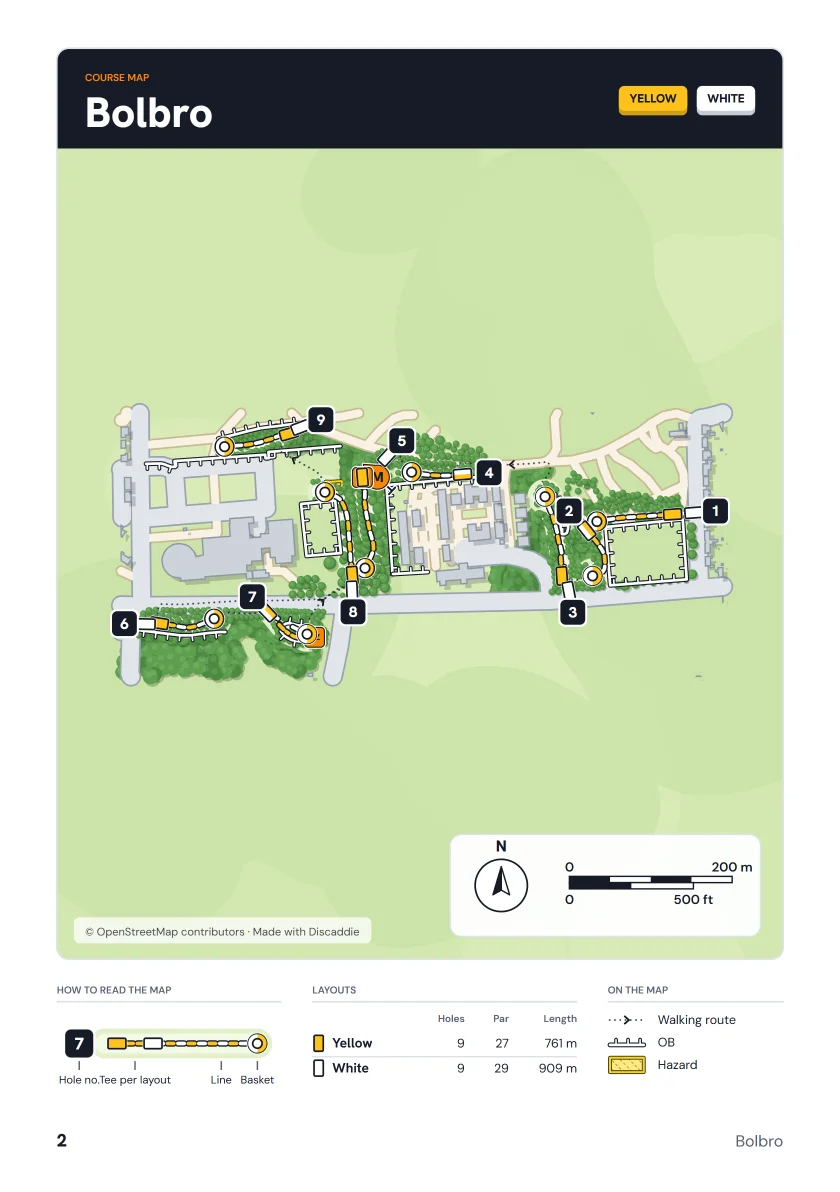
The course overview
The whole course on one page, with a north arrow and a scale bar. The walk from each basket to the next tee is drawn as a dotted line. Under the map is a legend and a table with holes, par and total length for each layout: Yellow is 9 holes, par 27, 761 m (2,496 ft). White is 9 holes, par 29, 909 m (2,983 ft).
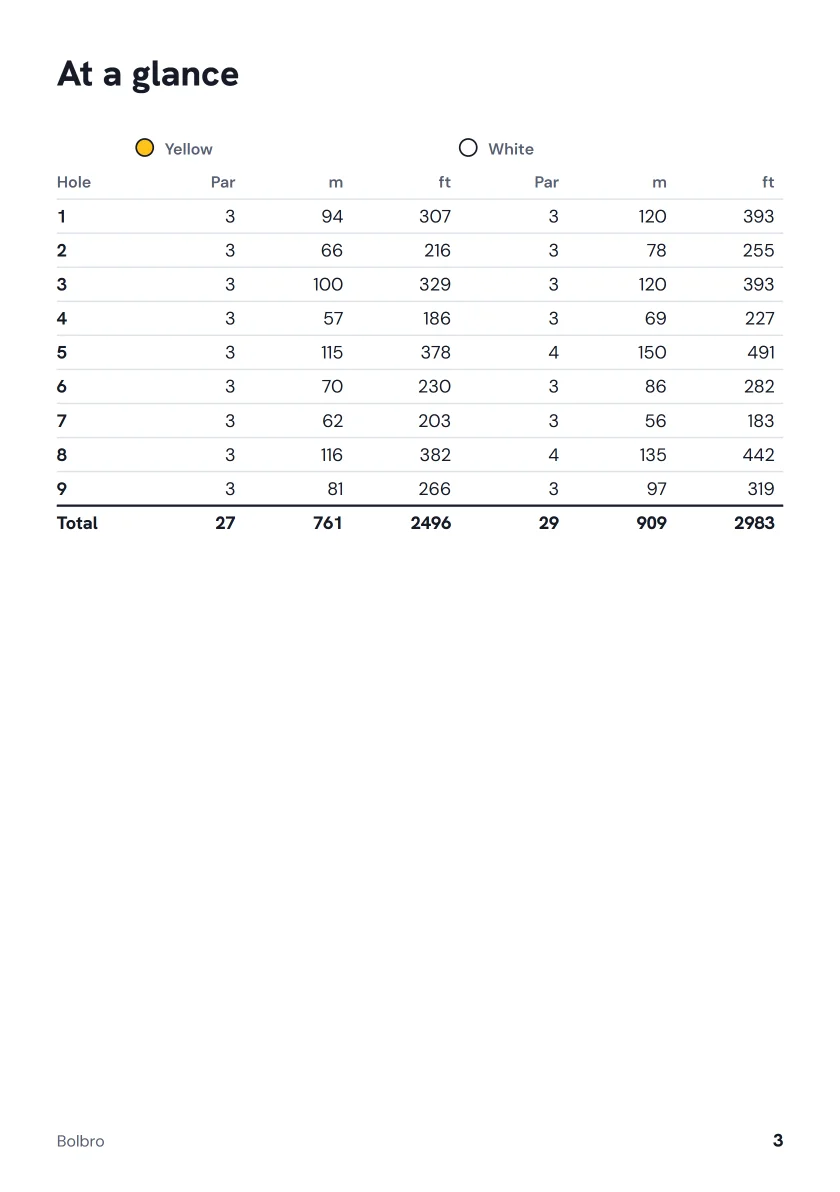
At a glance
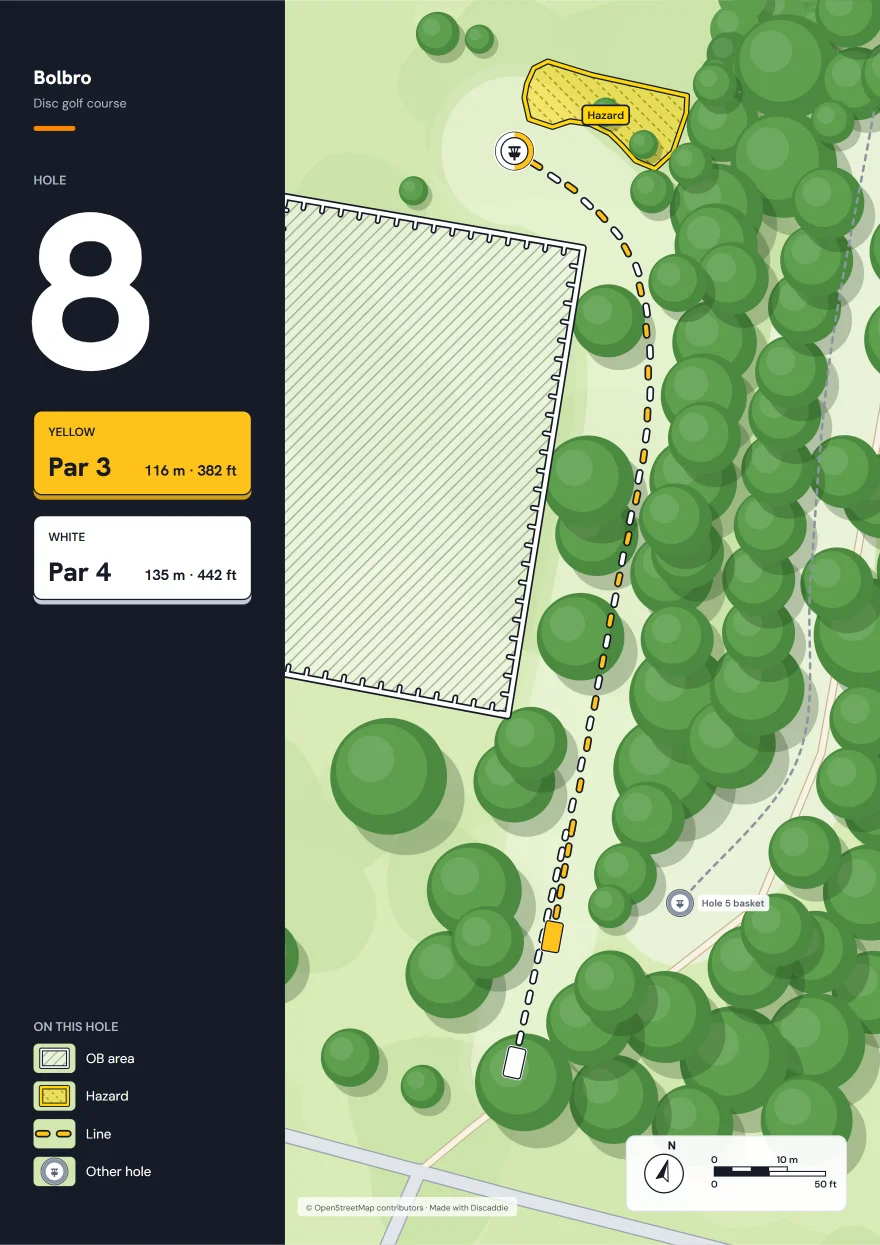
A table with one hole per row: par and length in meters and feet for each layout, with totals at the bottom. It's the page you use when you just want to know how long hole 8 is from the white tee (135 m, 442 ft) without flipping to the hole page.
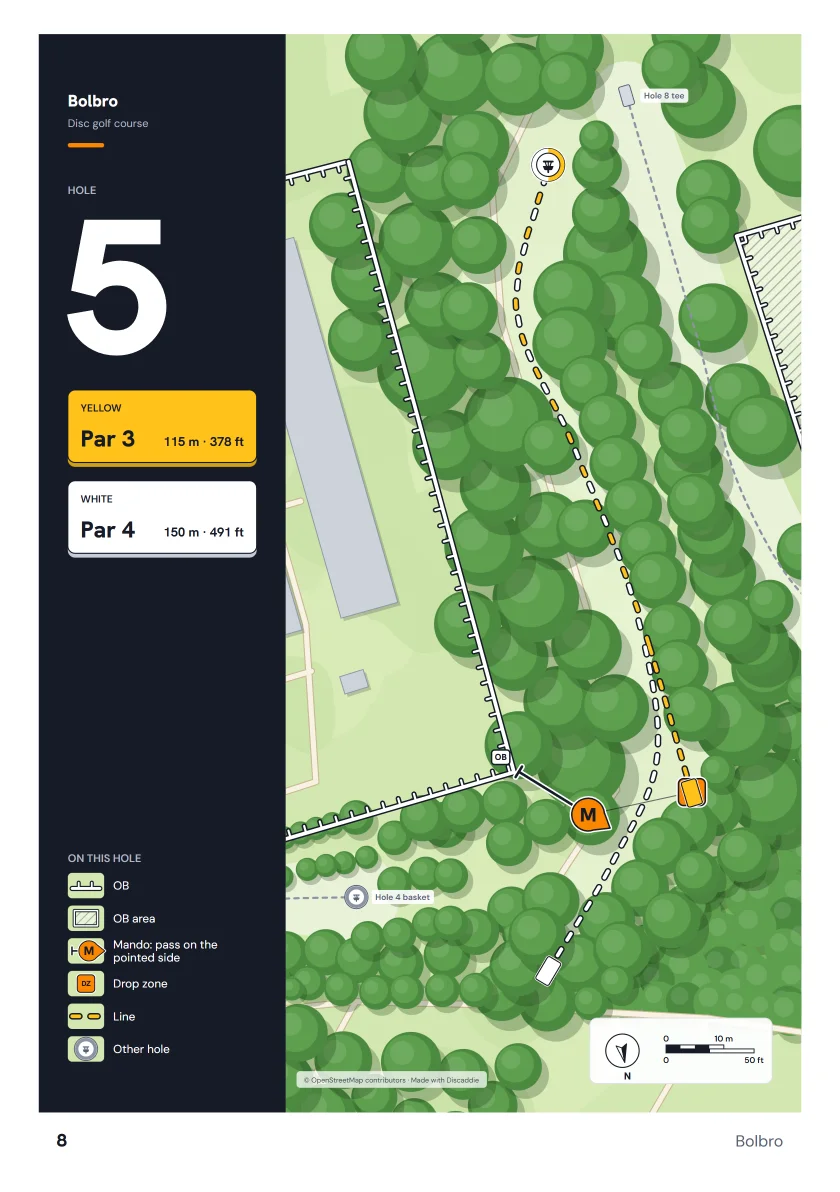
The hole pages
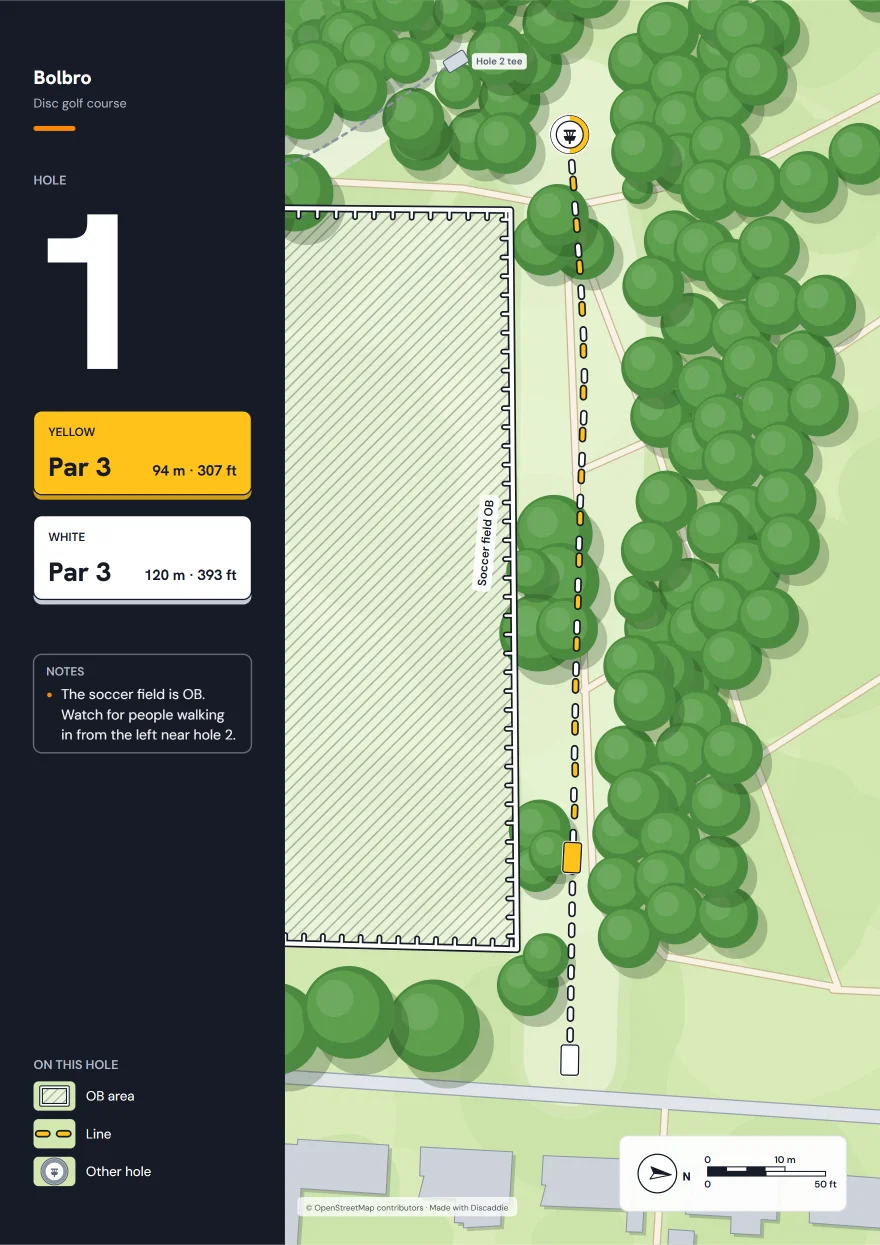
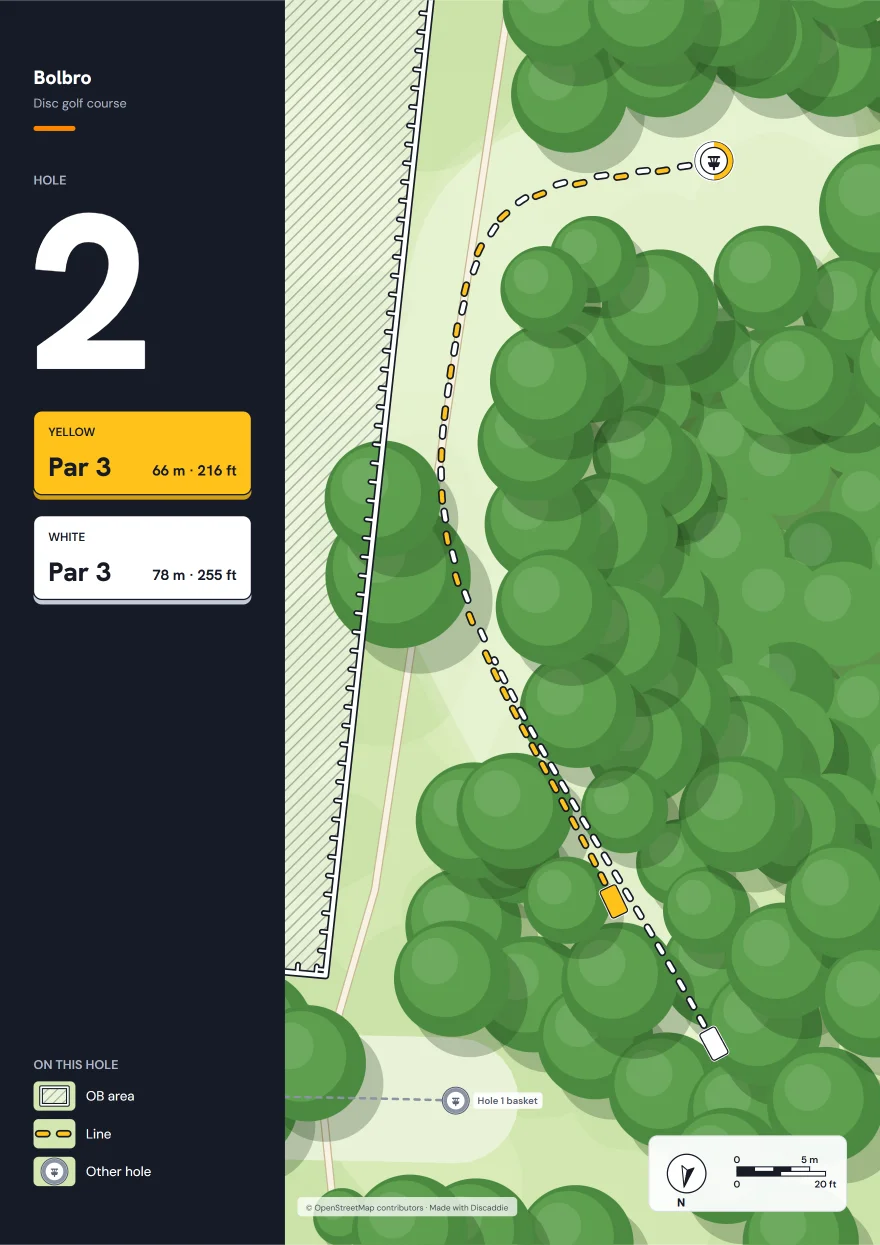
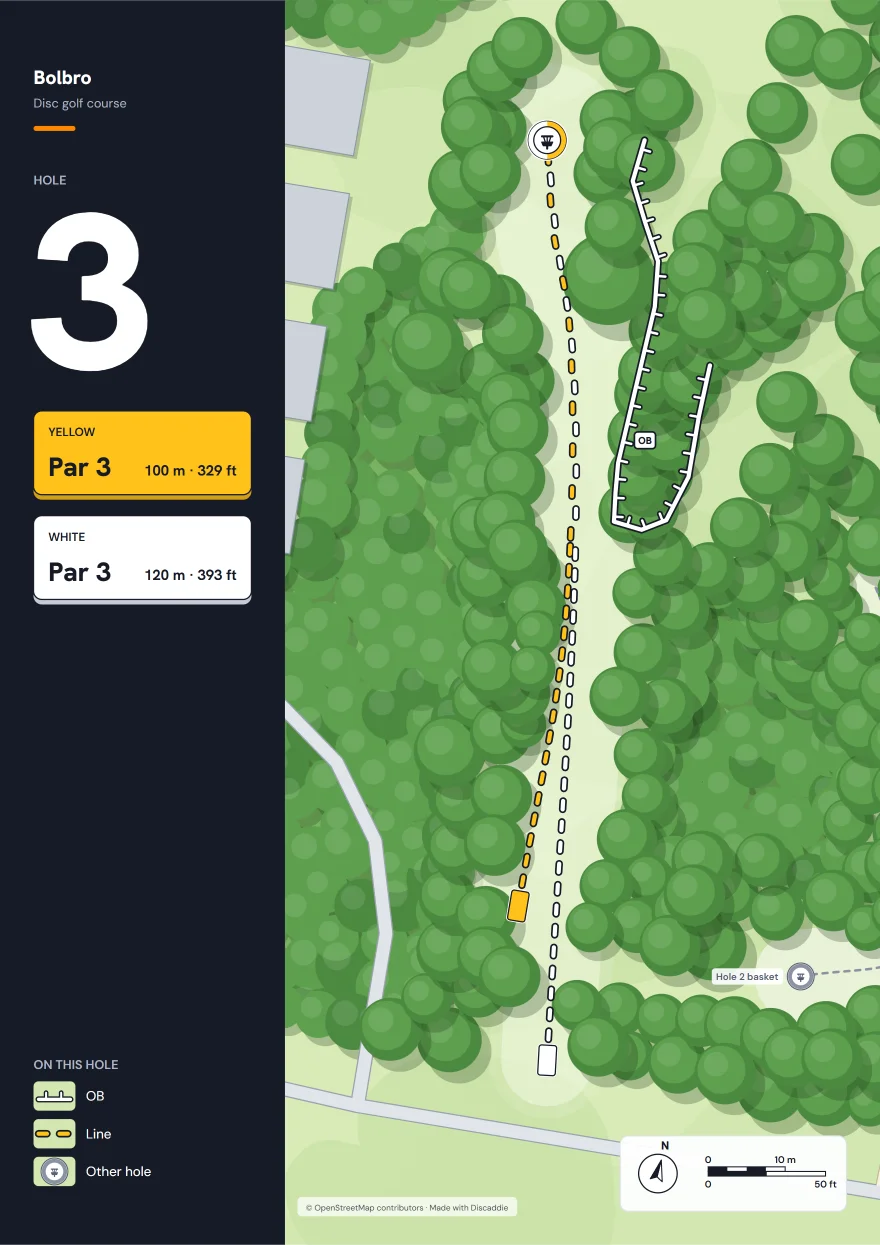
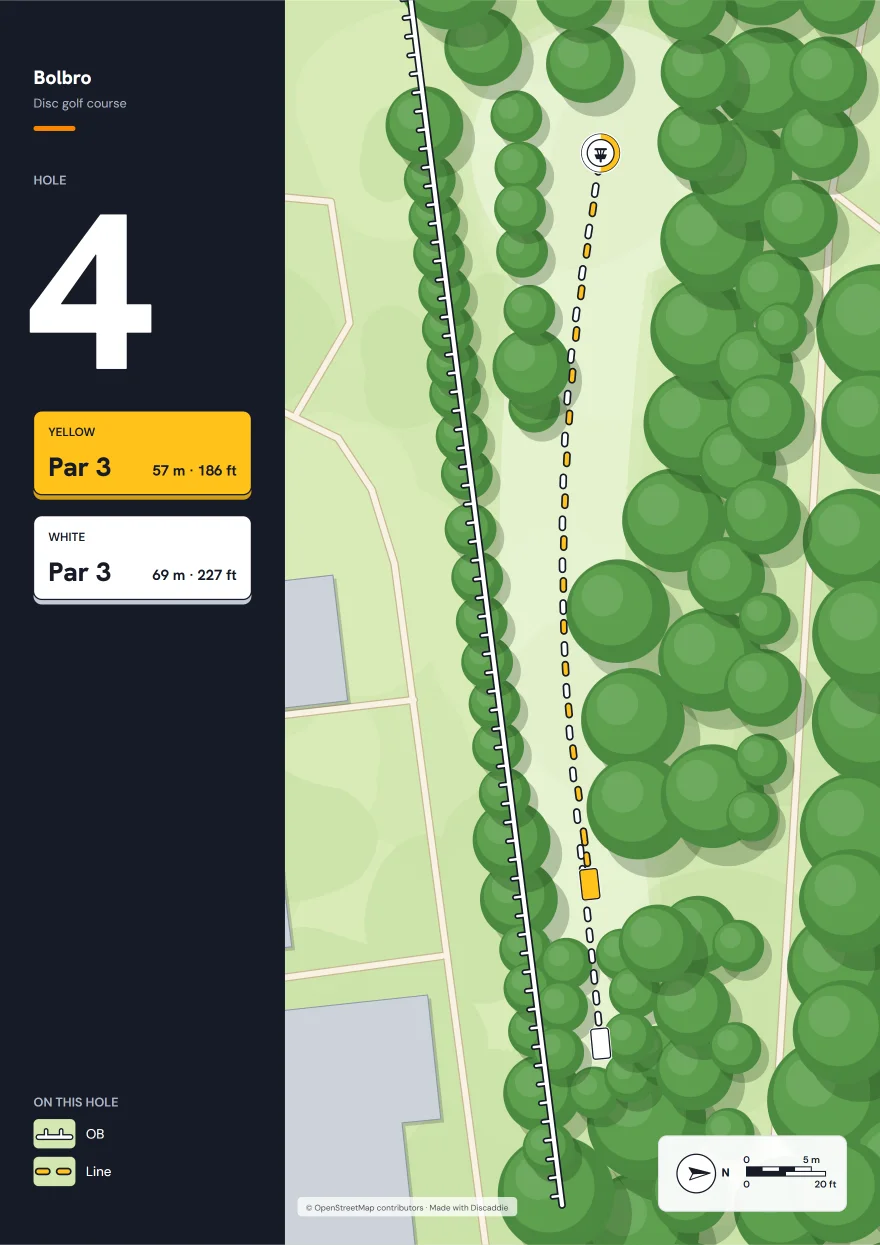
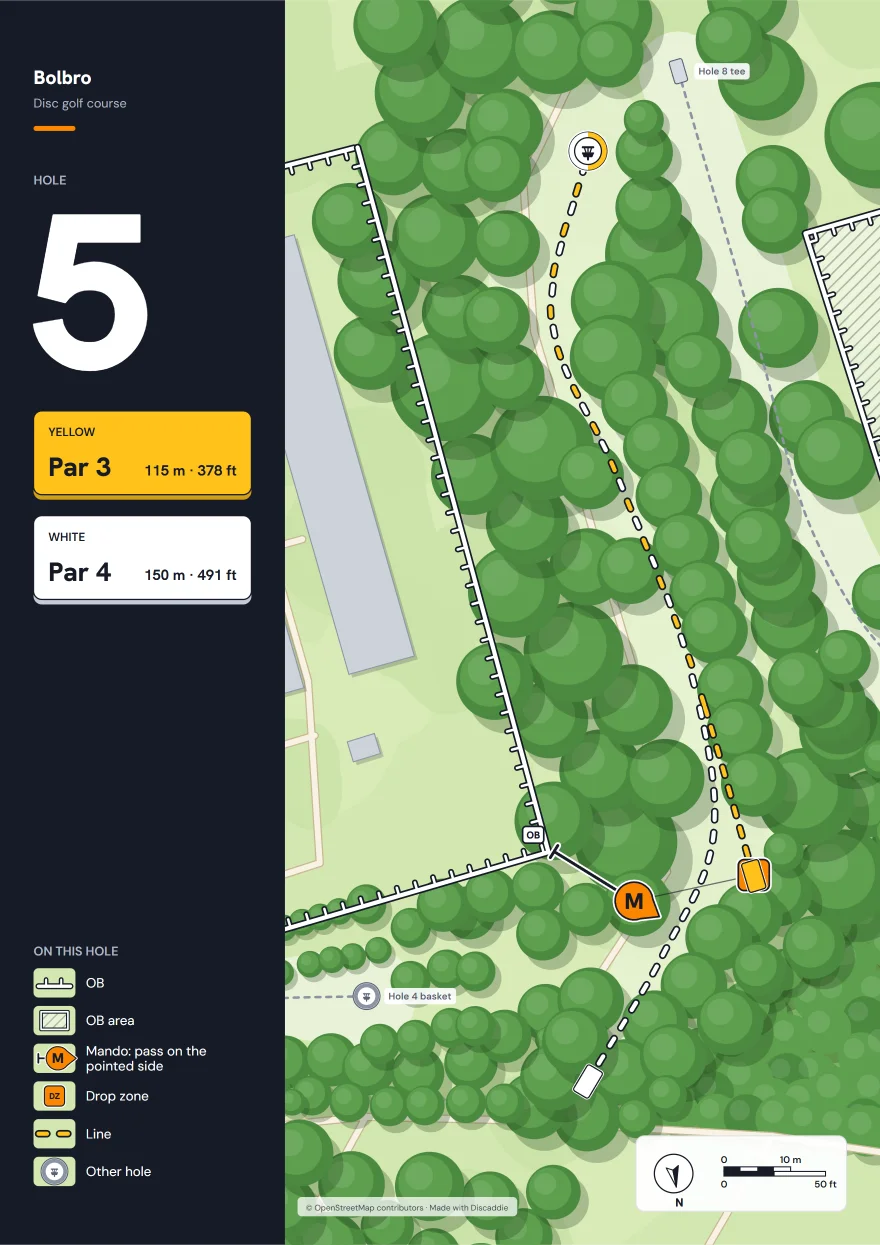
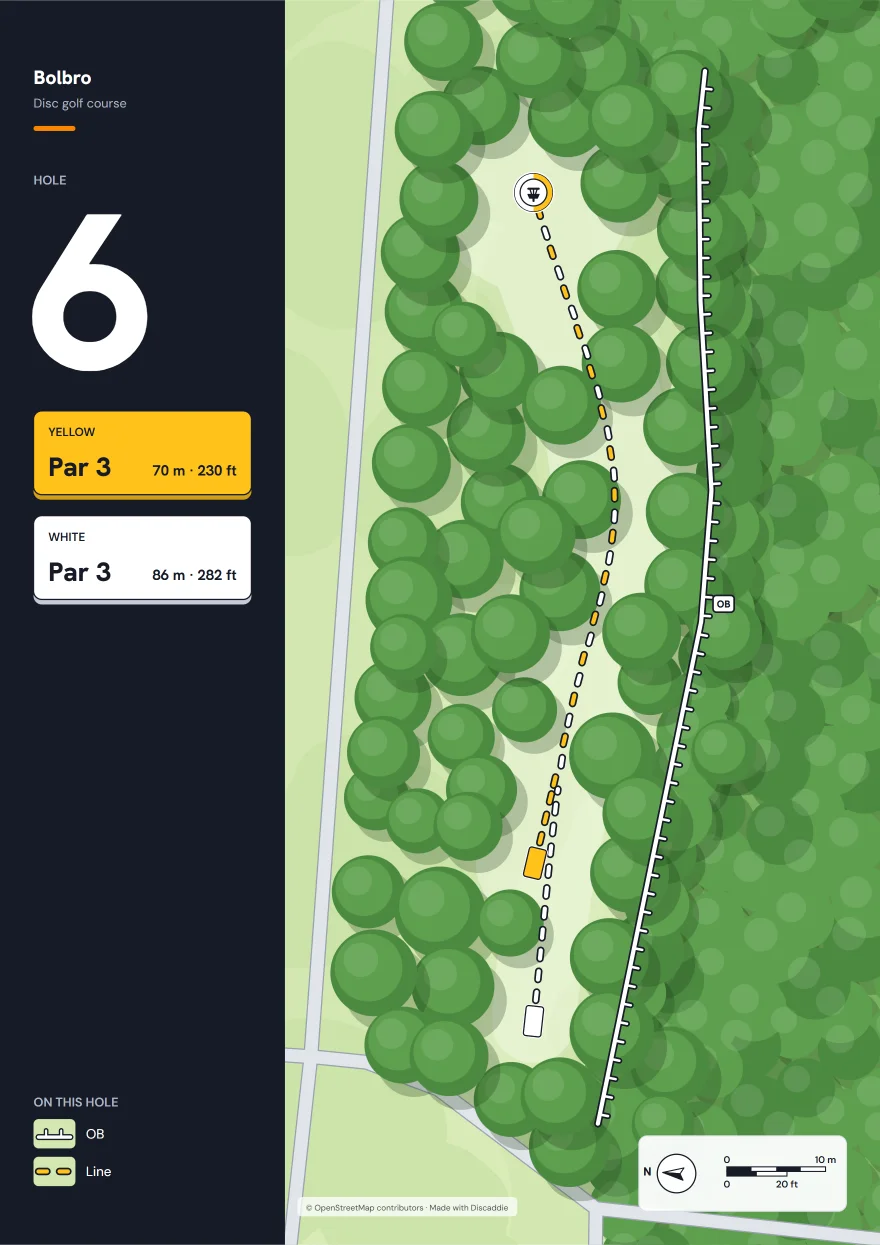
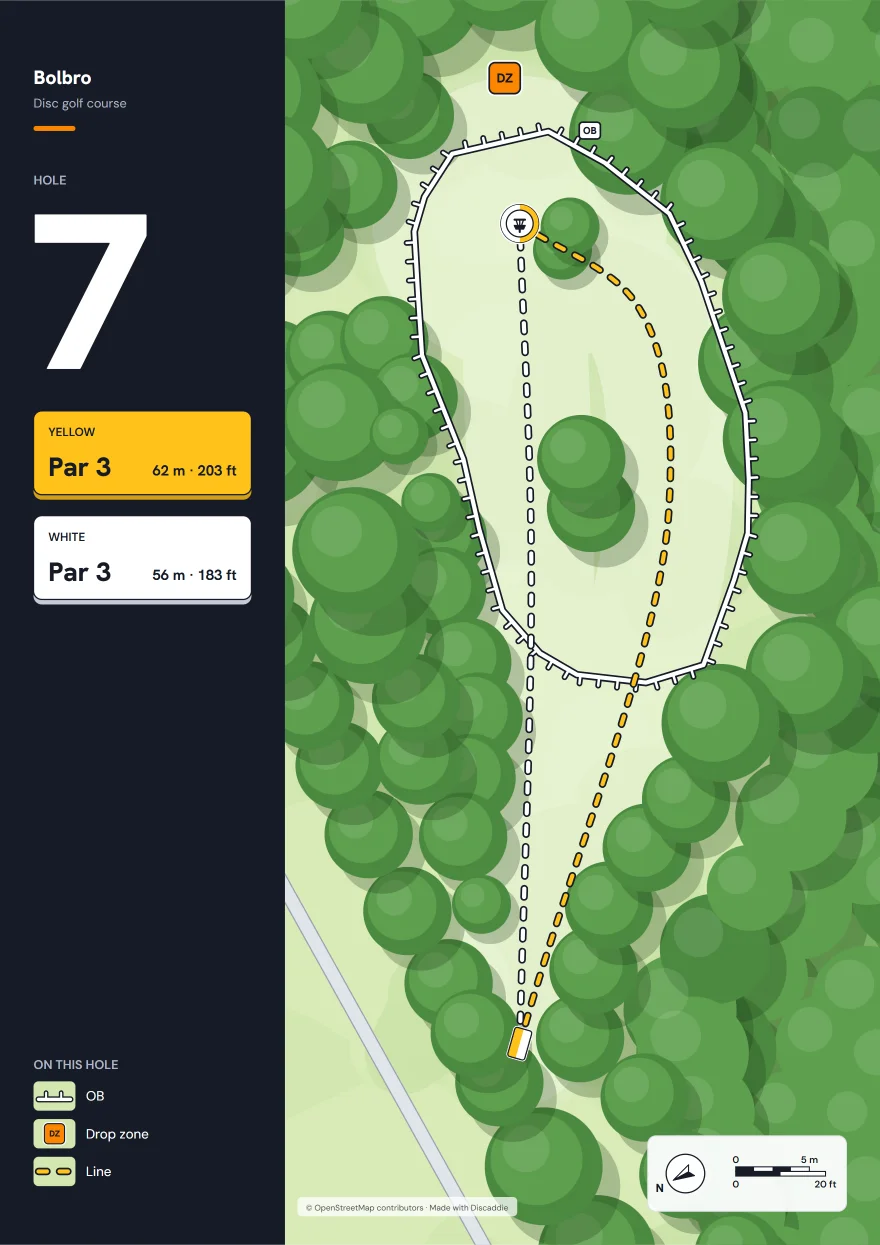
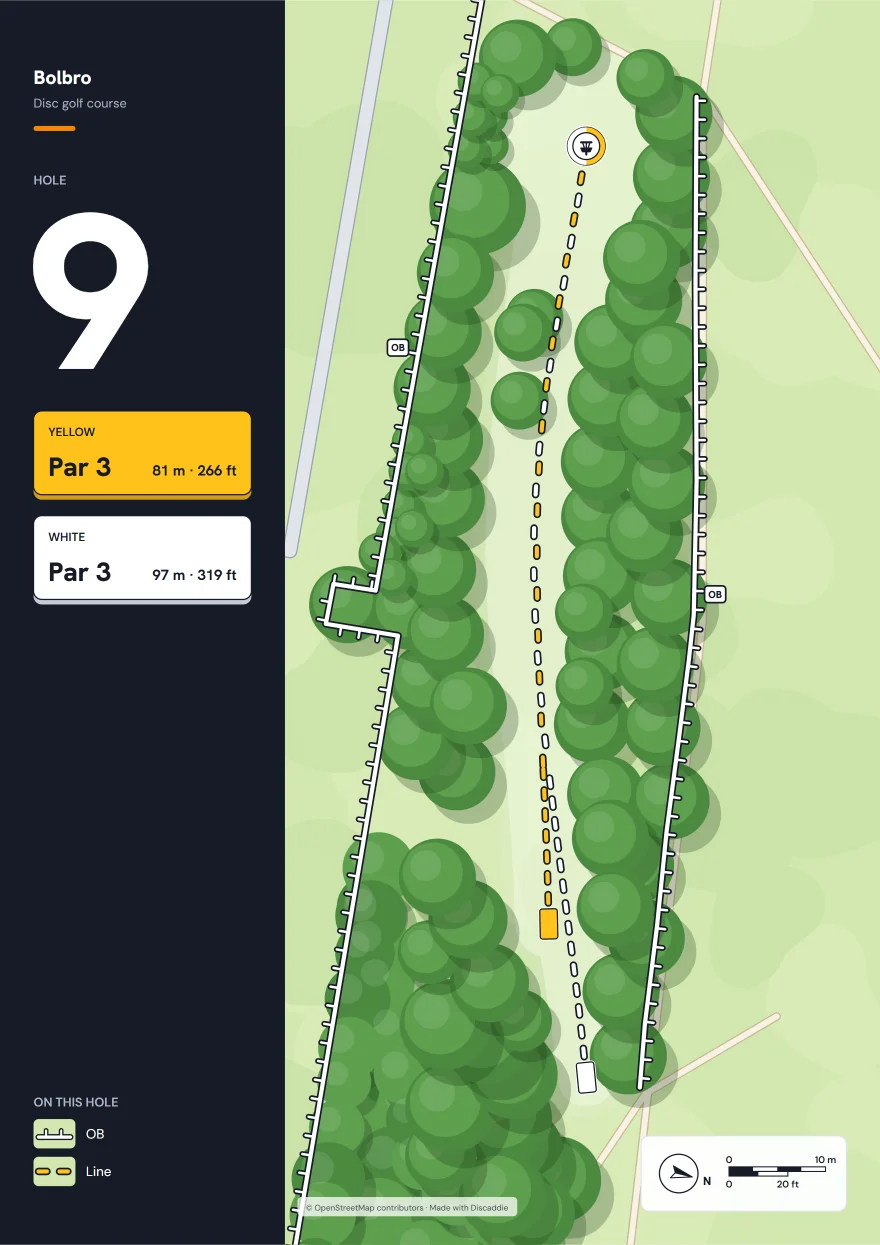
Each hole gets a full page with a large map. On the left are the hole number, par and length for each layout. Hole 5 at Bolbro is a par 3 at 115 m (378 ft) from Yellow and a par 4 at 150 m (491 ft) from White, with OB down the left, an OB area and a mando. A short legend at the bottom shows only the symbols used on that hole. If you've written a note for the hole, it's on the page too.
The same numbers in the book and on the signs
94 m on the tee sign and 90 m in the book? That doesn't happen here. The hole page in the book and the tee sign for that hole come from the same drawing. Move a basket, and the length changes in both places the next time you download.
The sign on hole 1 at Bolbro has a note saying the soccer field is OB and to watch for people walking in from the left near hole 2. The same note is in the book.
Only need the signs? See tee signs. Want the course overview on its own, for the kiosk or the club website? See course overview.
Hole 1 1/9
How to make the book
- Find the course. Search for the park, or open a project file you've saved.
- Draw the holes. Place the tee and the basket, and bend the line to follow the fairway. Add OB, mandos, drop zones and hazards where they are. If the course has several layouts, each one gets its own color.
- Open Export and choose Caddie book (PDF).
- Click Download, and print the PDF.
For a tournament
Running a tournament on a course most players have never seen? Put a caddie book in every player pack: par and length for their layout on every hole, plus OB and mandos where they are. If a layout changes before the next event, edit the course and download a new PDF.
Caddie book questions
How many pages will the book have?
Three fixed pages (the cover, the course overview and At a glance), plus one page for each hole. A nine-hole course like Bolbro comes out at 12 pages. A hole that's missing its tee or basket is left out.
Our example is from Denmark. Will it work for my course?
Yes. You draw on satellite imagery, which covers courses anywhere, and the book prints in English.
Can I print it myself?
Yes. It's a regular PDF, so you can print it at home, at work or at a print shop.
What if I change the course later?
Edit it in the Course Designer and download the book again. Lengths update all through the book, and so does par, unless you set it yourself. A book you've already printed stays the same.
Open your course and get the book
Search for your course in the Course Designer and draw the holes.
It's free, and you don't need an account.